
ADVANCED SECURITY FEATURES
More protection for your highest-stakes assessments
Room scans, second-camera monitoring, onscreen content protection and CounterAI™ work together to secure the full testing environment, all without unnecessary complexity or invasive technology.

LAYERED ASSESSMENT SECURITY
Add greater visibility for higher-stakes assessments
Integrity Advocate adds the right security layers for higher-stakes assessments. Room scans, second-camera monitoring, screen protection, and CounterAI provide greater visibility across the testing environment, while trained human review adds the context needed before results are delivered.
These advanced capabilities are available with our ProctorPro tier.
Room scans help confirm the testing space is clear before the assessment begins
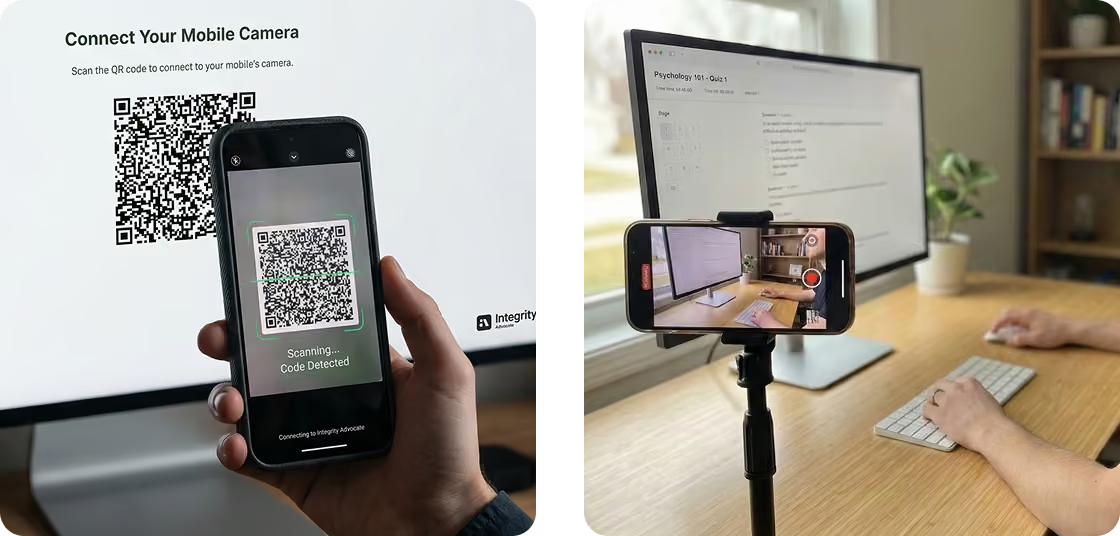
A second camera provides greater visibility into the desk and surrounding workspace
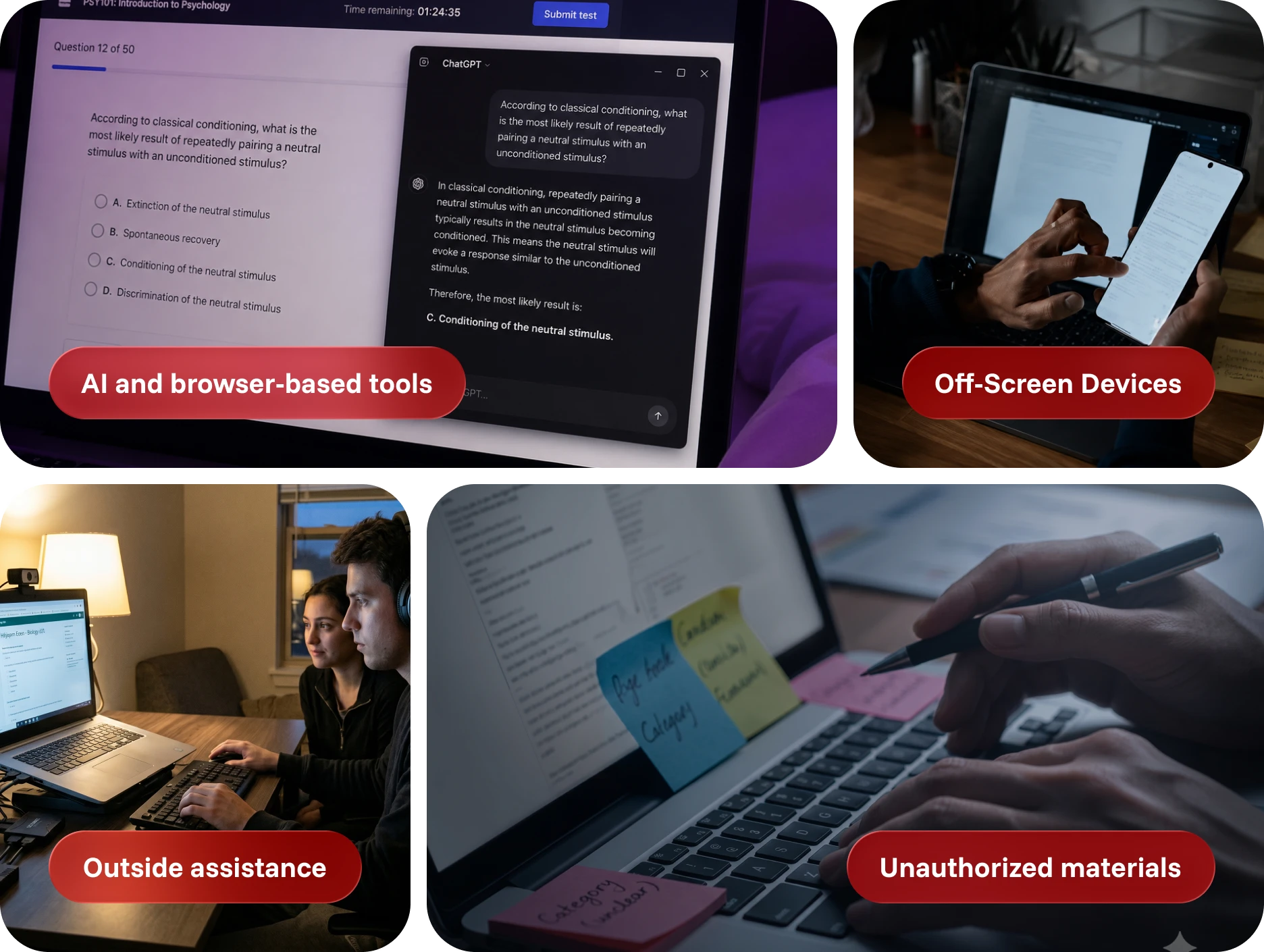
CounterAI and onscreen protections help restrict unauthorized tools, actions, and content sharing
COMPLETE ENVIRONMENTAL OVERSIGHT
Secure what a standard webcam can’t see
Most online assessment risks do not happen directly in front of the primary camera. They happen around the screen, beyond the frame or through tools operating quietly in the browser.
Our advanced security features available in ProctorPro provide a more complete view, helping your program protect honest test-takers, identify meaningful concerns and respond with the right context.
ADVANCED SECURITY WITH PROCTORPRO
Built for your highest-stakes assessments
ProctorPro combines advanced security features with trained human review to deliver greater visibility and defensible results.
Secondary camera
Test-takers scan a QR code to securely connect their phone as an additional camera.
The wider view provides greater visibility into the desk and surrounding testing space, with no application, browser extension or software installation required.
Room scan + desk scan
Before the assessment begins, test-takers show their immediate workspace to help confirm that unauthorized materials or devices are not present.
The process is designed to verify what matters while minimizing unnecessary collection of personal information.
CounterAI™
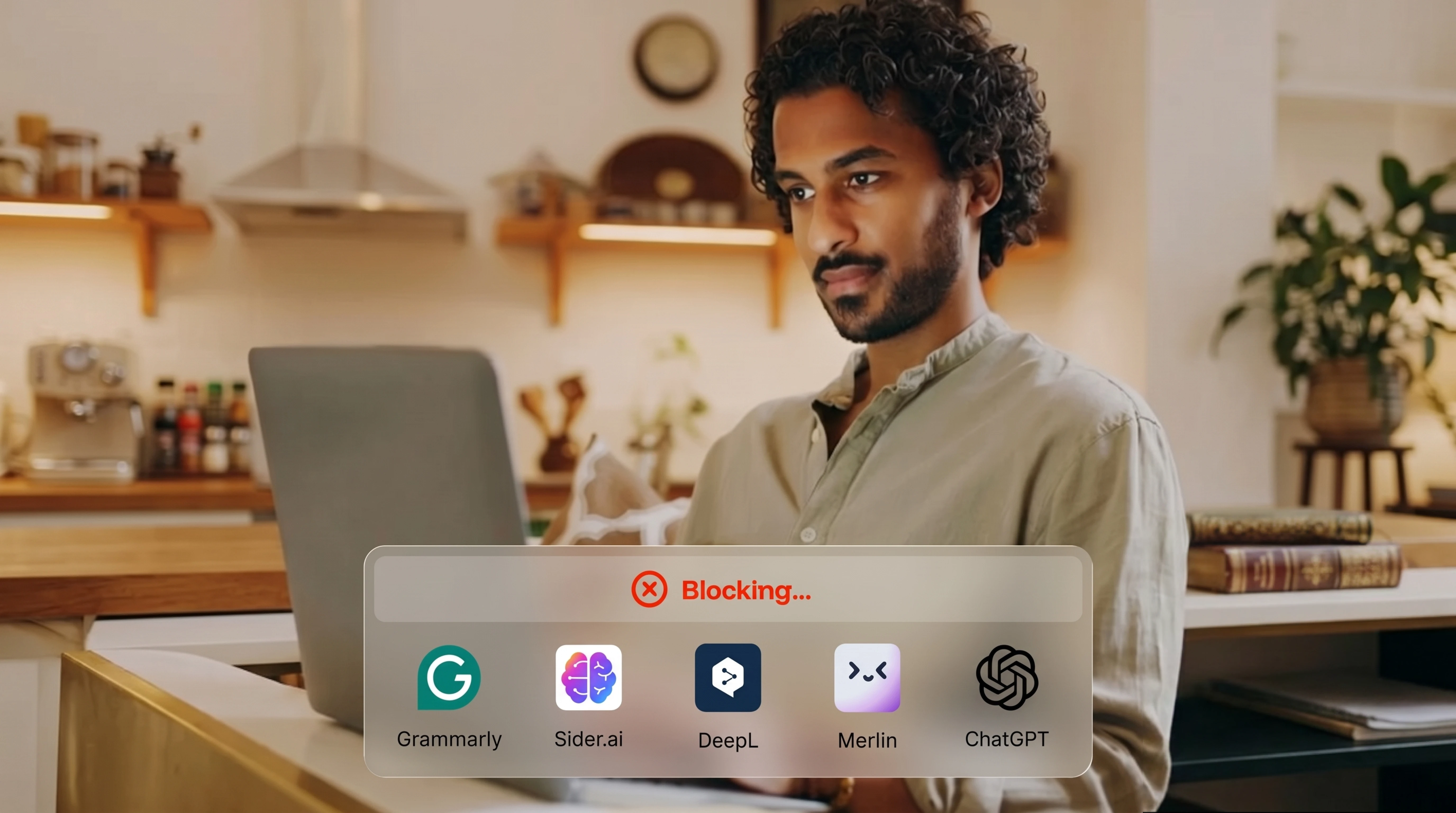
CounterAI identifies and restricts unauthorized AI-assisted tools during the assessment—including tools accessed through browser extensions or activated after the session begins.
Rather than relying solely on a list of known products, CounterAI focuses on the behaviors and actions that create assessment risk.
Onscreen content protection
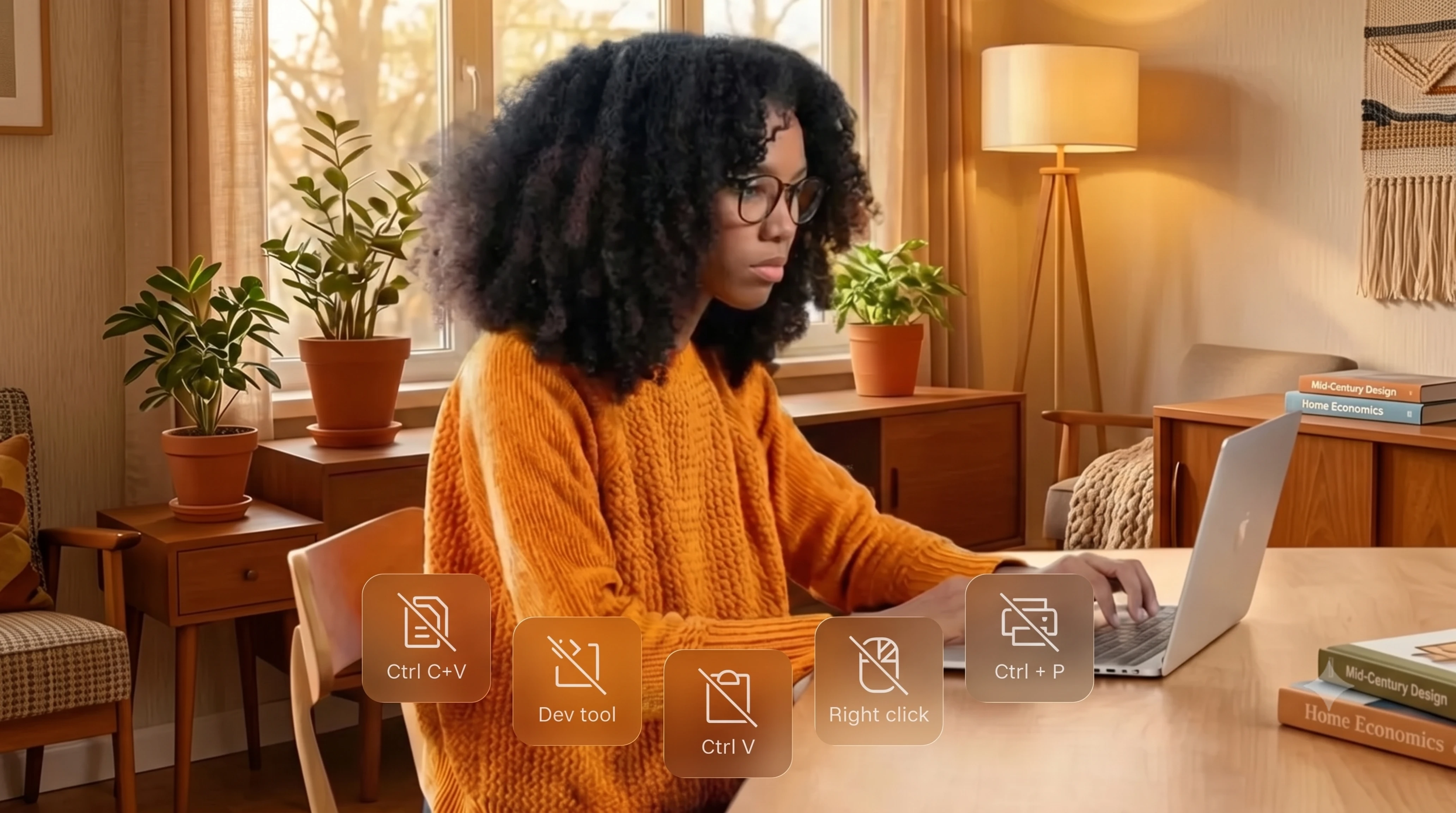
Restrict actions that could expose or compromise assessment content, including copying, printing and prohibited keyboard shortcuts.
This helps protect both the integrity of the result and the intellectual property behind the exam.
Full video and audio capture
Secure session recordings provide reviewers with the context needed to understand what occurred, not simply an isolated flag or screenshot.

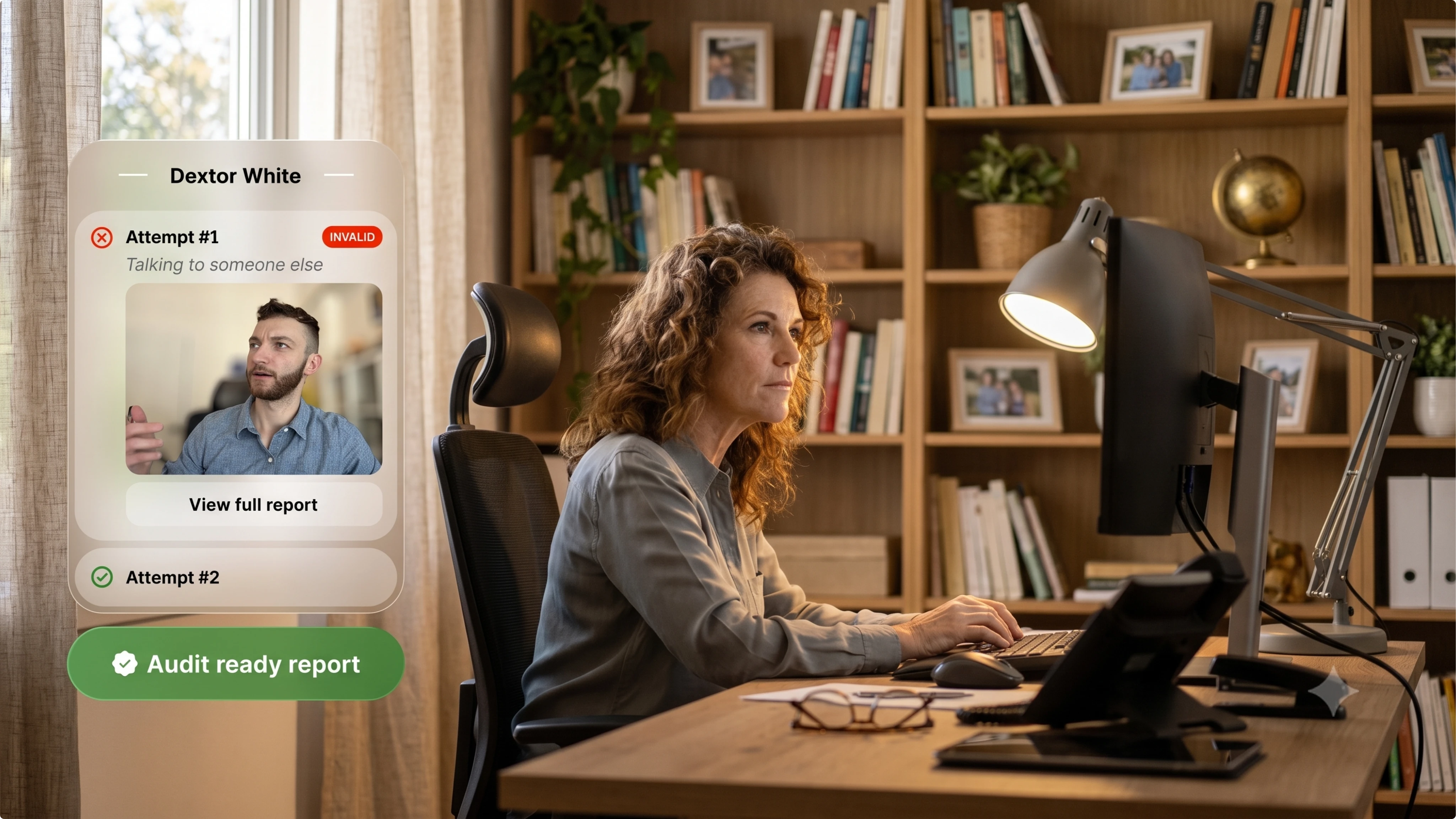
Audit-ready reporting
Session activity, supporting evidence and reviewer findings are combined into one clear, time-stamped record.
Your team receives the information needed to support appeals, compliance reviews and internal decisions without manually reviewing hours of footage.
TECHNOLOGY WITH HUMAN JUDGMENT
More visibility should lead to better context, not more accusations.
Additional security layers provide more visibility, but activity alone does not prove misconduct. A glance away, background voice, or device entering the frame may have a reasonable explanation.
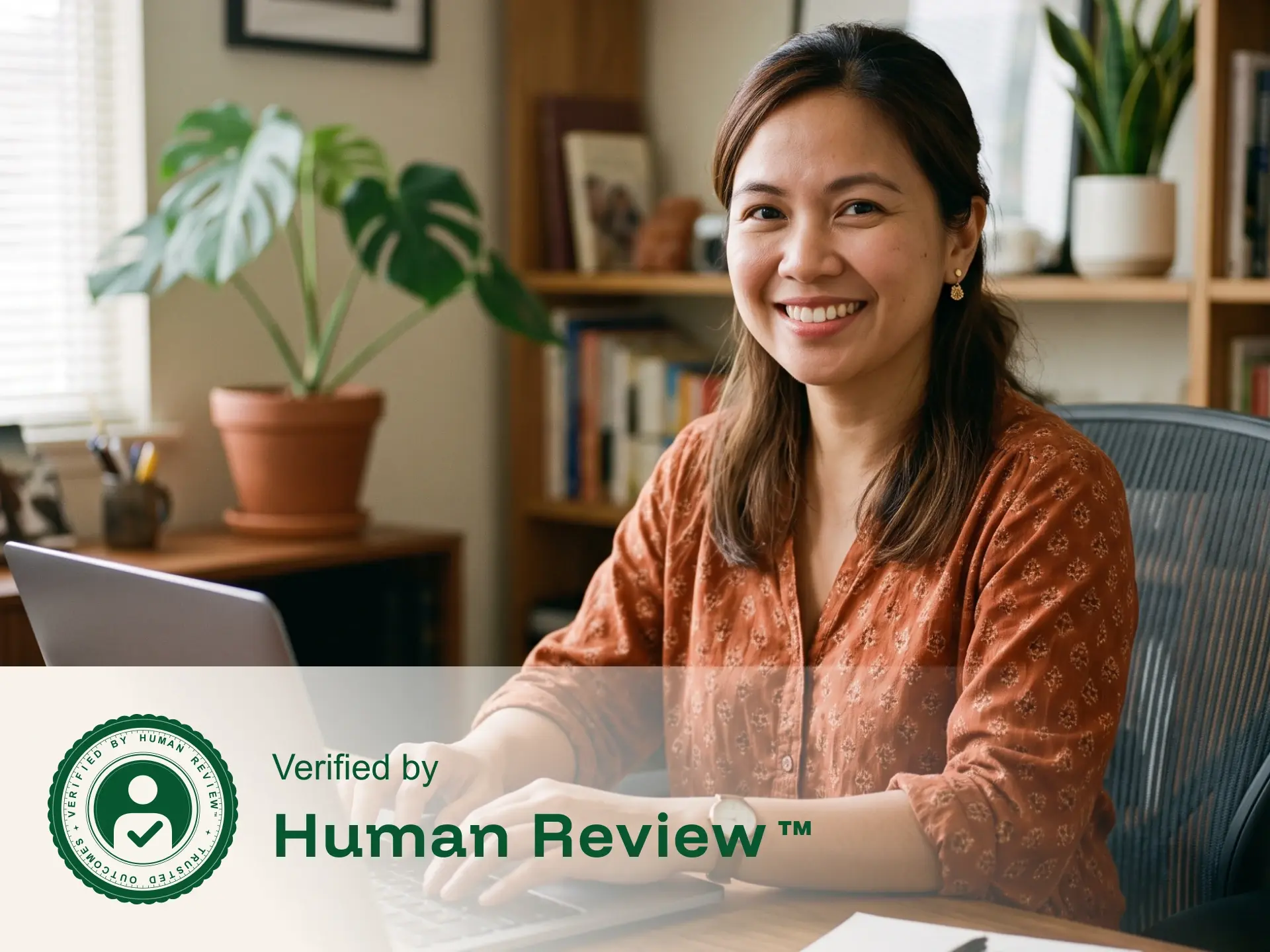
That is why trained reviewers examine camera, audio, and screen activity together, apply your organization’s rules, and document the outcome before results are delivered.
A CONNECTED SECURITY WORKFLOW
From verified identity to documented result
Advanced security features work together throughout the assessment, creating one connected record from the moment the test-taker begins until the review is complete.
Confirm the test-taker
A program-approved photo ID and live image help verify that the correct person is completing the assessment.
Secure the environment
The test-taker completes the required room scan and connects a second camera when included in the program’s security rules.
Protect the session
Camera, audio and screen activity are recorded together while CounterAI and onscreen protections help restrict unauthorized tools and actions.
Human review & documented results
A trained reviewer evaluates relevant activity and delivers a clear, time-stamped record for confident decision-making.
TRUSTED BY PROGRAMS WORLDWIDE
Security that protects the value of every result
Organizations rely on Integrity Advocate to secure assessments, support fair outcomes and deliver records they can stand behind.


A BETTER WAY TO SECURE HIGH-STAKES EXAMS
Stronger oversight without test-center restrictions or invasive software
The difference becomes obvious the moment a result is challenged.
FLEXIBLE BY DESIGN
The right level of security for every assessment
Integrity Advocate allows you to apply the level of oversight that fits the importance, risk and requirements of each assessment.
WHAT OUR CLIENTS SAY
"Being able to review video feeds. Optional second camera. Excellent customer support/service. Setting up and using Integrity Advocate was seamless as well. Integrations were all handled by the Integrity Advocate team."

Maximum security shouldn’t mean maximum friction
Protect high-stakes assessments with advanced features that work together without unnecessary barriers for test-takers.
Every layer provides greater visibility. Human review provides the context needed to turn that information into a fair, trustworthy and defensible result.
10M+
Total sessions proctored
65+
Languages supported
98%
Client retention rate
Learn more about advanced modern assessment security
Explore practical guidance on securing high-stakes assessments, responding to evolving threats and building results your organization can defend.

What Defensible Assessment Looks Like in 2026
April 7, 2026
|
3
min read
AI tools have changed what cheating looks like, and most proctoring systems were built for a different problem. This post covers why an automated flag alone can't defend an outcome, and what a defensible assessment record requires in 2026.

Top Proctoring Tools in 2026, Ranked by What Actually Matters
April 6, 2026
|
16
min read
Not sure which proctoring tool fits your program? This guide compares the top 10 platforms of 2026, breaks down the three proctoring models, and shares the one vendor question that determines what your results are actually worth.

Most Proctoring Tools React to Cheating. This Approach Prevents It.
July 9, 2026
|
2
min read
Most proctoring platforms are built to detect cheating after it happens. Integrity Advocate's security-based framework is designed to prevent it through deterrence, proportional response, and human-reviewed evidence, with Counter-AI as one component of a broader system built to adapt as threats evolve. This post introduces the framework and links to the full white paper.
Häufig gestellte Fragen
Find answers to common questions about our products, features, integrations, and approach to assessment integrity.
Integrity Advocate offers room scans, optional second-camera monitoring, CounterAI, onscreen content protection, audio and video recording, screen monitoring and audit-ready reporting.
Features can be configured according to the risk level and requirements of your assessment program.
The test-taker scans a QR code to securely connect a compatible phone as a second camera. The additional view can capture more of the desk and surrounding testing area than the primary webcam alone.
No application, browser extension or software installation is required.
Before the assessment begins, the test-taker is guided through a brief scan of the immediate testing environment.
This helps confirm that unauthorized materials, devices or other people are not present while limiting the scan to the area relevant to the assessment.
The experience is designed to remain simple and guided. Test-takers complete each required step directly in the browser, without downloading an application or installing an extension.
The exact setup process depends on the security features selected by the assessment program.
Available session evidence, including camera views, audio, screen activity and system-generated flags, is reviewed against the program’s established rules.
The resulting findings are documented so administrators receive clear supporting context rather than an unexplained automated score or flag.
Integrity Advocate follows a privacy-first approach designed to collect only the information necessary to support the integrity requirements of the assessment.
Monitoring features are configured according to the program’s needs, and personal information is handled in accordance with applicable security, privacy and retention requirements.