
ADVANCED SECURITY FEATURES
More protection for your highest-stakes assessments
Room scans, second-camera monitoring, onscreen content protection and CounterAI™ work together to secure the full testing environment, all without unnecessary complexity or invasive technology.

LAYERED ASSESSMENT SECURITY
Add greater visibility for higher-stakes assessments
Integrity Advocate adds the right security layers for higher-stakes assessments. Room scans, second-camera monitoring, screen protection, and CounterAI provide greater visibility across the testing environment, while trained human review adds the context needed before results are delivered.
These advanced capabilities are available with our ProctorPro tier.
Room scans help confirm the testing space is clear before the assessment begins
A second camera provides greater visibility into the desk and surrounding workspace
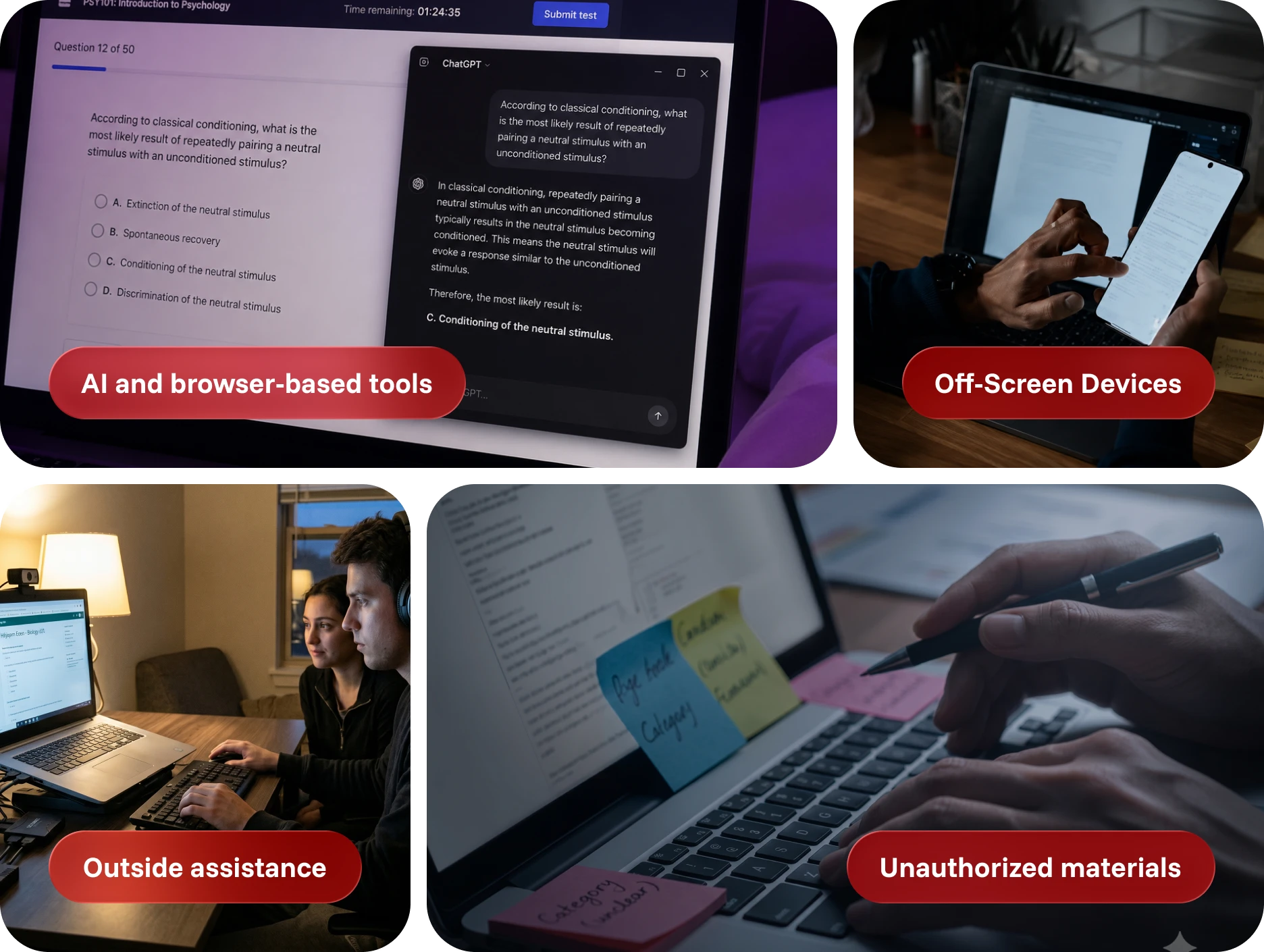
CounterAI and onscreen protections help restrict unauthorized tools, actions, and content sharing
COMPLETE ENVIRONMENTAL OVERSIGHT
Secure what a standard webcam can’t see
Most online assessment risks do not happen directly in front of the primary camera. They happen around the screen, beyond the frame or through tools operating quietly in the browser.
Our advanced security features available in ProctorPro provide a more complete view, helping your program protect honest test-takers, identify meaningful concerns and respond with the right context.
ADVANCED SECURITY WITH PROCTORPRO
Built for your highest-stakes assessments
ProctorPro combines advanced security features with trained human review to deliver greater visibility and defensible results.
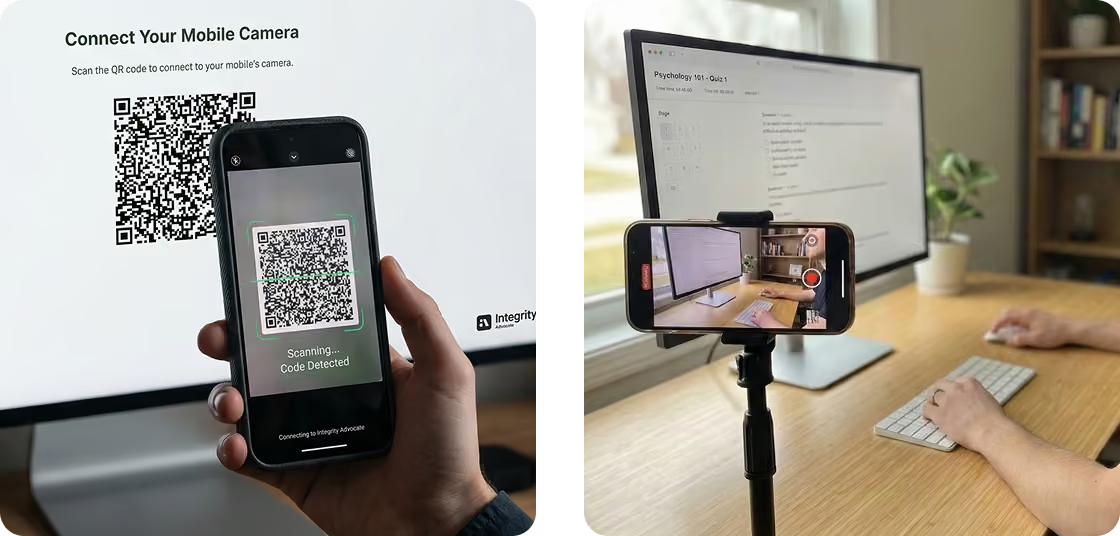
Secondary camera
Test-takers scan a QR code to securely connect their phone as an additional camera.
The wider view provides greater visibility into the desk and surrounding testing space, with no application, browser extension or software installation required.
Room scan + desk scan
Before the assessment begins, test-takers show their immediate workspace to help confirm that unauthorized materials or devices are not present.
The process is designed to verify what matters while minimizing unnecessary collection of personal information.
CounterAI™
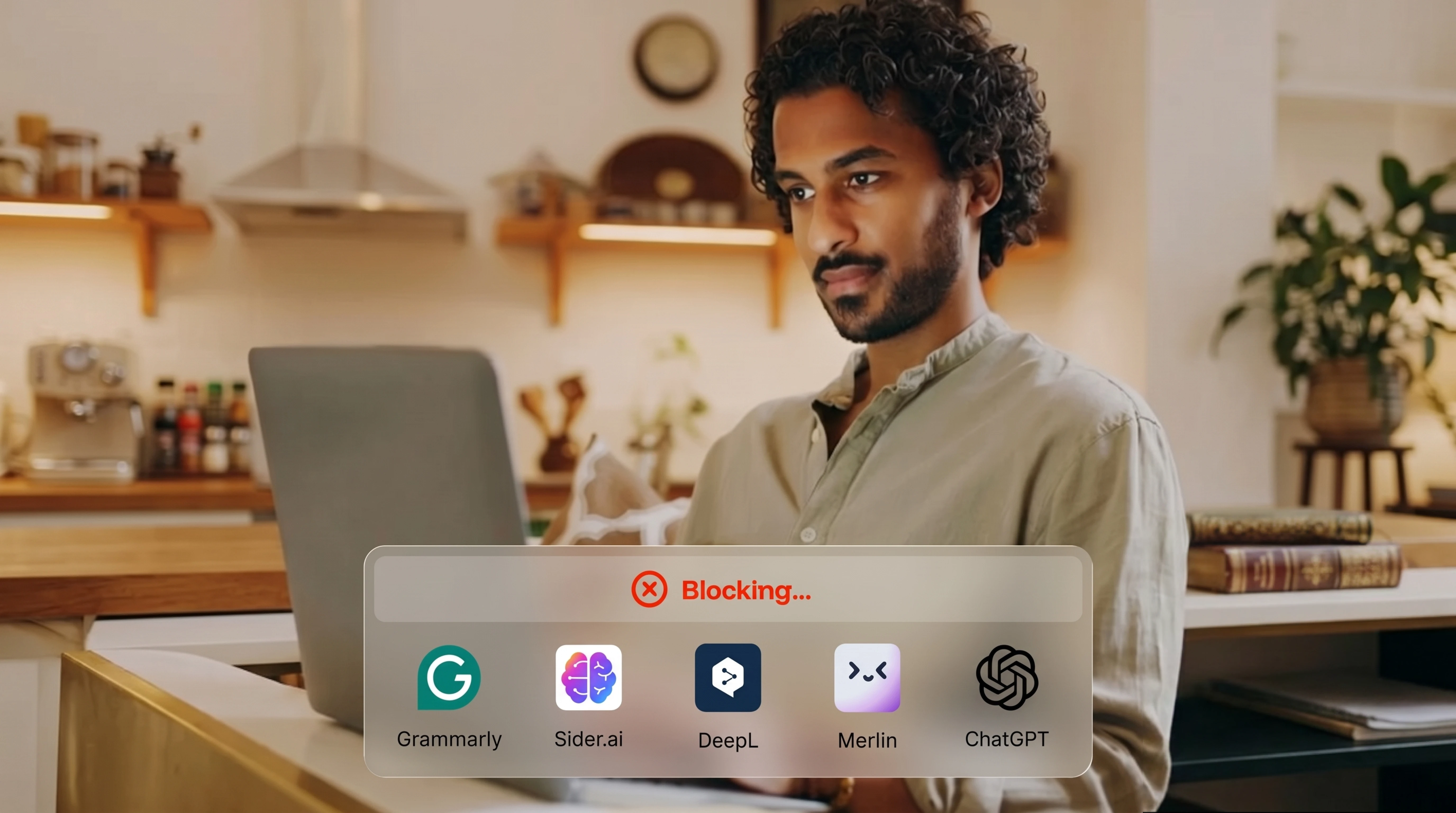
CounterAI identifies and restricts unauthorized AI-assisted tools during the assessment—including tools accessed through browser extensions or activated after the session begins.
Rather than relying solely on a list of known products, CounterAI focuses on the behaviors and actions that create assessment risk.
Onscreen content protection
Restrict actions that could expose or compromise assessment content, including copying, printing and prohibited keyboard shortcuts.
This helps protect both the integrity of the result and the intellectual property behind the exam.

Full video and audio capture
Secure session recordings provide reviewers with the context needed to understand what occurred, not simply an isolated flag or screenshot.

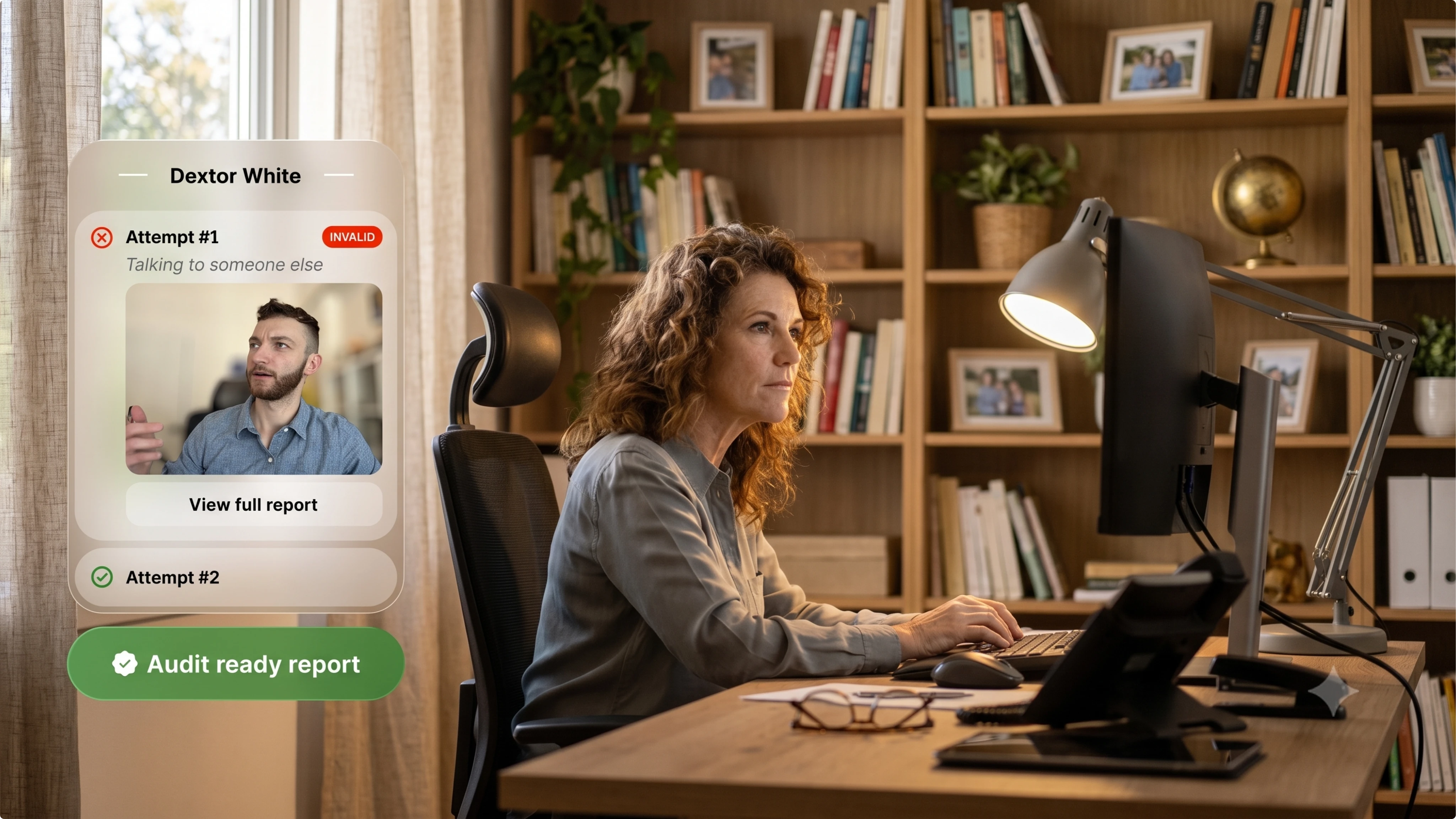
Audit-ready reporting
Session activity, supporting evidence and reviewer findings are combined into one clear, time-stamped record.
Your team receives the information needed to support appeals, compliance reviews and internal decisions without manually reviewing hours of footage.
TECHNOLOGY WITH HUMAN JUDGMENT
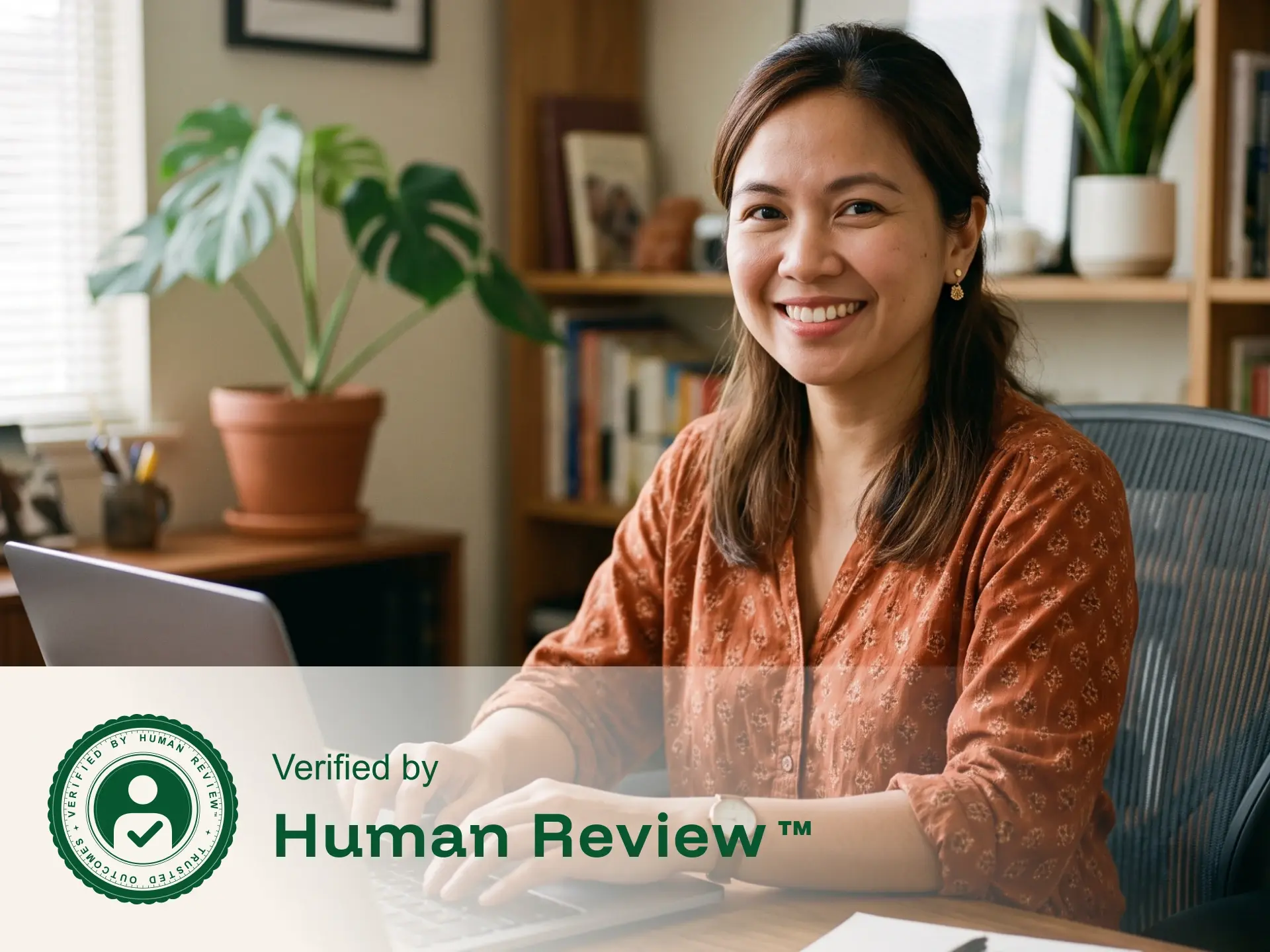
More visibility should lead to better context, not more accusations.
Additional security layers provide more visibility, but activity alone does not prove misconduct. A glance away, background voice, or device entering the frame may have a reasonable explanation.
That is why trained reviewers examine camera, audio, and screen activity together, apply your organization’s rules, and document the outcome before results are delivered.
A CONNECTED SECURITY WORKFLOW
From verified identity to documented result
Advanced security features work together throughout the assessment, creating one connected record from the moment the test-taker begins until the review is complete.
Confirm the test-taker
A program-approved photo ID and live image help verify that the correct person is completing the assessment.
Secure the environment
The test-taker completes the required room scan and connects a second camera when included in the program’s security rules.
Protect the session
Camera, audio and screen activity are recorded together while CounterAI and onscreen protections help restrict unauthorized tools and actions.
Human review & documented results
A trained reviewer evaluates relevant activity and delivers a clear, time-stamped record for confident decision-making.
TRUSTED BY PROGRAMS WORLDWIDE
Security that protects the value of every result
Organizations rely on Integrity Advocate to secure assessments, support fair outcomes and deliver records they can stand behind.

A BETTER WAY TO SECURE HIGH-STAKES EXAMS
Stronger oversight without test-center restrictions or invasive software
The difference becomes obvious the moment a result is challenged.
FLEXIBLE BY DESIGN
The right level of security for every assessment
Integrity Advocate allows you to apply the level of oversight that fits the importance, risk and requirements of each assessment.
WHAT OUR CLIENTS SAY
"Being able to review video feeds. Optional second camera. Excellent customer support/service. Setting up and using Integrity Advocate was seamless as well. Integrations were all handled by the Integrity Advocate team."

Maximum security shouldn’t mean maximum friction
Protect high-stakes assessments with advanced features that work together without unnecessary barriers for test-takers.
Every layer provides greater visibility. Human review provides the context needed to turn that information into a fair, trustworthy and defensible result.
10M+
Total sessions proctored
65+
Languages supported
98%
Client retention rate
Learn more about advanced modern assessment security
Explore practical guidance on securing high-stakes assessments, responding to evolving threats and building results your organization can defend.

Most Proctoring Tools React to Cheating. This Approach Prevents It.
July 9, 2026
|
5 min read
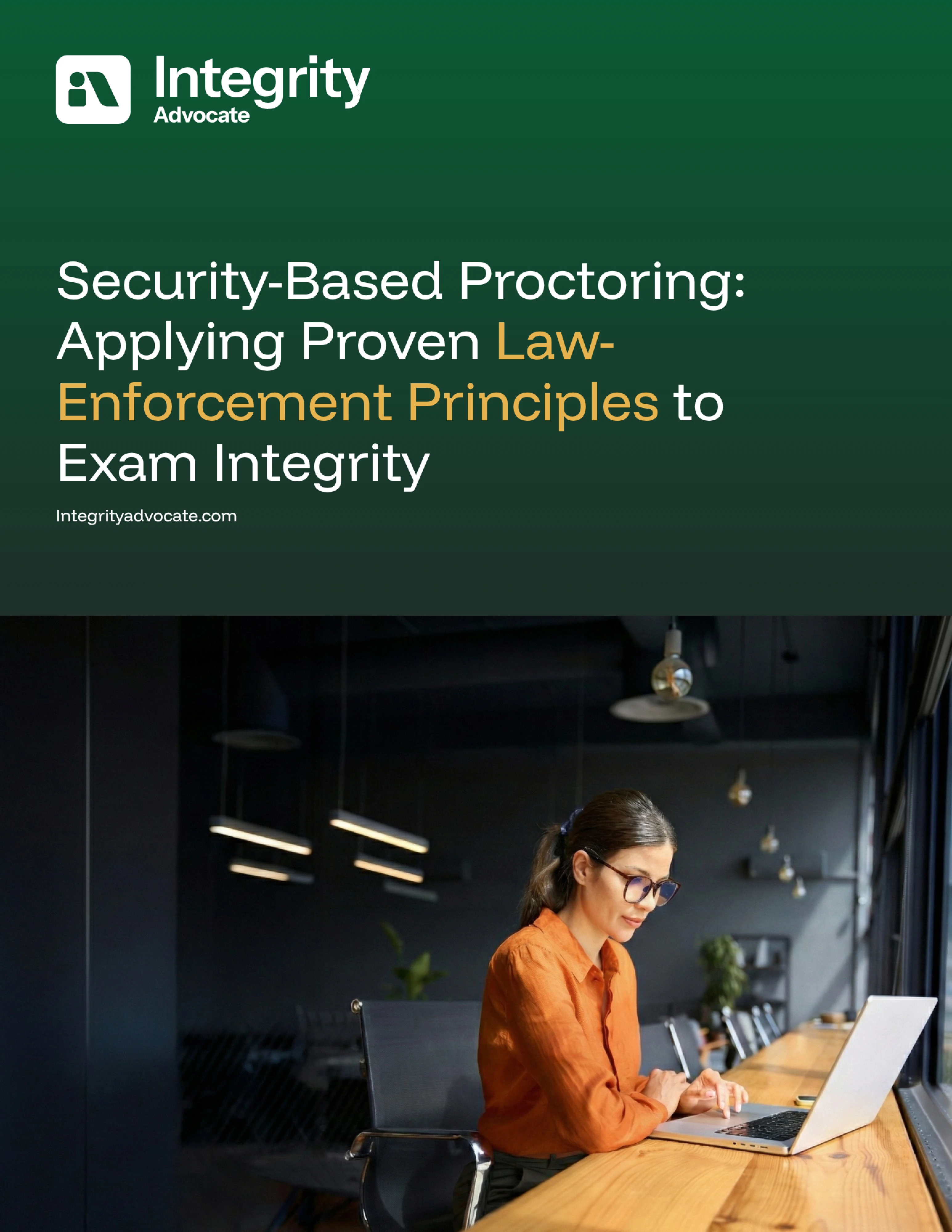
Most proctoring platforms are built to detect cheating after it happens. Integrity Advocate's security-based framework is designed to prevent it through deterrence, proportional response, and human-reviewed evidence, with Counter-AI as one component of a broader system built to adapt as threats evolve. This post introduces the framework and links to the full white paper.
There is a meaningful difference between a proctoring system that catches violations after they happen and one designed so that violations are less likely to happen in the first place.
Most platforms focus on detection: flag the behavior, generate a report, let the program sort out what it means. The problem with that model is that it puts the burden on test takers, creates false positives, and produces results that are hard to stand behind when challenged.
Integrity Advocate takes a different approach, one grounded in a principle that applies equally well in physical security, public safety, and assessment integrity: the most effective systems deter problems before they occur, respond proportionally when they do, and produce evidence that holds up to scrutiny.
Download the Whitepaper
Deterrence First
The presence of proctoring changes behavior. Most test takers who know their session is being monitored by a real person, not just logged by an algorithm, approach the assessment the way it was intended. No intervention needed.
This is why the combination of visible monitoring and human review is more effective than automated detection alone. It is not just about catching the problem. It is about creating conditions where the problem is far less likely to arise.
Proportional Response
Not every behavioral signal warrants the same response. A proportional approach distinguishes between a minor anomaly and a genuine concern, applying appropriate controls without penalizing test takers for things that do not actually matter.
This is what separates a system that generates noise from one that produces clarity. Fewer false positives. Less administrative burden. More defensible outcomes.
Evidence That Holds Up
When a result is challenged, the question is not whether the system flagged something. It is whether a person reviewed it, made a judgment, and documented their reasoning.
Integrity Advocate's human review process ensures that every flagged session is assessed by a trained reviewer before any outcome is recorded. That is what makes the result defensible, and what allows programs to stand behind what they issue.
Built for What Comes Next
AI cheating tools are the most urgent current threat, and Integrity Advocate's Counter-AI capability addresses them directly. But a sustainable integrity strategy cannot be built around detecting one category of tool. It has to be designed to adapt as threats evolve.
That is the difference between a feature and a framework.
{{post-stat-highlight}}
The full white paper walks through exactly how this works in practice, including how each control layer functions, how Counter-AI fits within the broader system, and what proportional enforcement looks like for programs of different sizes and risk levels.
{{post-cta}}

Top Proctoring Tools in 2026, Ranked by What Actually Matters
April 6, 2026
|
5 min read
Not sure which proctoring tool fits your program? This guide compares the top 10 platforms of 2026, breaks down the three proctoring models, and shares the one vendor question that determines what your results are actually worth.
The market for best online proctoring tools has grown fast, and so has the noise around it. The global online proctoring market is projected to grow from $700 million in 2023 to over $2.1 billion by 2030. Remote learning is standard. AI-assisted cheating is a real and growing threat. And programs across education, credentialing, and workforce training are under more pressure than ever to issue results that are trusted, accurate, and defensible.
In many ways, the tools have kept up with that growth. But not all of them have kept up in the right ways. Some have leaned hard into automation at the expense of fairness. Others have added AI features without answering the question programs actually need answered: when a result is challenged, can you stand behind it?
The market has largely framed this as a choice. Speed and scale on one side. Human judgment and defensibility on the other. What most programs actually need is both, without having to trade one for the other. That is what this list is really about.
What to Evaluate Before You Look at a Single Tool
Feature lists are easy to produce. What matters is whether a platform solves the problems that actually cost programs time, money, and credibility. Here is the framework worth using:
Can you defend a result?
When a flagged incident leads to a consequence, someone will ask how that decision was made. AI alone cannot answer that question in a way that holds up to scrutiny. You need a documented human review trail. Not an algorithm output. A process.
Is privacy built in or bolted on?
Data privacy requirements are not going away. FERPA, GDPR, and emerging state-level frameworks all affect how proctoring data can be collected, stored, and used. Platforms that treat privacy as a compliance checkbox are a liability. The ones built around data minimization from the ground up are not.
Does the experience reflect well on your program?
Proctoring that feels invasive or surveillance-heavy creates friction, complaints, anxiety, and lower completion rates. The process should feel fair to the person going through it. When it does, you get fewer disputes and better outcomes.
Who supports your program beyond kickoff?
Implementation support, responsive account management, and an onboarding process that actually works. Client retention rates tell you more than case studies.
Does it cover the full assessment journey?
Identity verification before the exam. Monitoring during it. Clean, documented results after. Gaps in any of those stages are gaps in your program’s integrity.
The Three Proctoring Models
Every tool on this list falls into one of three categories. The model matters as much as the features.
Top 10 Online Proctoring Tools in 2026
1. Integrity Advocate
Best for: Education, professional certification, and any program where results need to be defensible.
Integrity Advocate is built on one principle. Every AI flag is reviewed by a real person before it becomes an outcome. Not as an add-on. Not a premium tier. That is how the platform works, for every client, on every exam. AI identifies. Humans verify. Your program gets results that are fair, accurate, and built to hold up.
The platform is browser-based and requires no installation on student devices. No downloads, no extensions, no IT bottleneck. It works across any device, browser, and LMS, including Chromebooks. Test takers show up and take the exam.
Privacy is built into the architecture from the ground up. No unnecessary data storage, no invasive browser installs, and zero data breaches across more than 12 years of operation. That is not a claim. It is a record.
Coverage spans the full assessment lifecycle. Identity verification, exam monitoring, human review, and credential delivery through the Accredible integration all run on one platform with no gaps between stages.
With a 98 percent client retention rate, the relationship Integrity Advocate builds with programs is a meaningful part of the value. Programs stay because the relationship works, not just the technology.
Key strengths Mandatory human review on every flag, privacy by design, zero breaches in 12 years no install, works on any device or LMS, full assessment journey coverage, 98% client retention
2. ProctorU (Meazure Learning)
Best for: High-stakes certification and licensing exams.
ProctorU offers live human proctoring with real-time intervention capability. Strong audit trails and 24/7 scheduling make it a reliable option for high-stakes professional exams. Examity has been folded into this platform. Per-session pricing and scheduling requirements limit scalability for programs running high volumes with flexible timing needs.
3. Proctor360
Best for: Programs that need high environmental security and flexible proctoring configurations.
Proctor360's standout feature is its proprietary 360 Total View headset, which captures a complete view of the testing environment. It supports multiple proctoring modes including AI auto-proctoring, single and multi-camera live, and recorded review. Highly configurable for institutions that want different security levels across different exam types. Integrates with Canvas, Moodle, and Blackboard. Human review availability depends on the configuration and tier selected.
4. Talview
Best for: Large enterprises running high-volume, complex assessments.
Talview has invested significantly in AI capability, including a multi-layer security framework and behavioral analysis tools. It operates across more than 120 countries and handles significant scale. The platform skews toward enterprise hiring and large institutional clients. Mid-market education and certification programs may find it designed for a larger and more complex buyer than their needs require.
5. Honorlock
Best for: Higher education institutions running frequent, mid-stakes exams.
Honorlock combines AI monitoring with on-demand live proctors and is well established in the higher education market. Human review is available but not mandatory on every flagged incident, which means your institution may still be making decisions on contested results. Pricing is competitive for volume.
6. Proctorio
Best for: High-volume, lower-stakes exams where cost is the primary driver.
Fully automated with no human proctors involved. Proctorio tracks eye movement, audio, and keystrokes and delivers a low per-exam cost that makes it accessible at scale. The trade-off, however, is real: flag review is handed back to your institution. If 15 to 20 percent of your exams are flagged and your staff is sorting through them, the savings on the tool may not reflect the actual cost to your program.
7. Respondus (LockDown Browser + Monitor)
Best for: Institutions already embedded in its LMS ecosystem.
Respondus is widely adopted in higher education and functions primarily as a lockdown browser with a monitoring layer. It works best as a deterrent within a broader integrity approach rather than a standalone proctoring solution. There is no live or mandatory human review component, and the platform requires a browser extension on student devices.
8. PSI Bridge
Best for: Government licensing exams.
Enterprise-grade security with strong identity verification and regulatory compliance, built specifically for high-stakes professional and government licensing exams. Well suited to that context and less flexible for mid-market education programs that need a more configurable setup.
9. Proctortrack
Best for: Programs that need tiered options and pricing flexibility.
Proctortrack offers multiple monitoring modes from automated to live, giving institutions flexibility to match oversight levels to exam stakes. Human review availability depends on the tier selected. Evaluate carefully what is and is not included at each pricing level before committing.
10. Mercer Mettl
Best for: Corporate hiring and skills-based assessments.
Mercer Mettl combines psychometric testing with proctoring in one platform and integrates well with HR systems. Built for the recruitment context. Programs in academic or professional certification settings will find it designed for a different buyer and a different workflow.
How the Top Tools Compare
How to Choose the Right Tool for Your Program
The right platform depends on what your program actually needs to protect.
If your exams carry real consequences, certifications, academic credentials, professional licensing, your results need to be auditable. In practice, that requires mandatory human review and a documented process, not an algorithm output. Start there.
If privacy compliance is a growing concern, look for platforms where data minimization is structural, not a feature toggle. Ask vendors specifically what data is stored, for how long, and where. Zero breaches in 12 years is a different answer than a privacy policy page.
If learner experience matters to your completion rates and your program's reputation, choose a tool that requires no installation and has been validated by learners as fair. Those programs see fewer disputes and better outcomes.
If implementation burden is a concern, ask vendors what onboarding actually looks like beyond the kickoff call. Client retention rates tell you more than any case study will.
The Bottom Line
Most proctoring platforms will tell you they deliver trusted results. The question worth asking is how. If the answer is AI monitoring and a flag report, that is a starting point, not a complete answer. The programs that make defensible, fair, and accurate assessment decisions are the ones that pair AI detection with documented human review, protect learner data by design, and work with a platform that treats their program like a partner.
The tools that deliver all three, without asking you to trade one for another, are the ones worth your time.
Results you can
actually stand behind.
Every flag reviewed by a real person. No installs. Zero breaches in 12 years. See how Integrity Advocate works and what it means for your program.


We will show you exactly how it works.

What Defensible Assessment Looks Like in 2026
April 7, 2026
|
5 min read
AI tools have changed what cheating looks like, and most proctoring systems were built for a different problem. This post covers why an automated flag alone can't defend an outcome, and what a defensible assessment record requires in 2026.
We talk to a lot of programs right now that are dealing with the same thing. AI tools have changed what cheating looks like, and most proctoring systems were built for a problem that’s no longer the only one on the table. The gap is showing up in appeals, in complaints, and in outcomes that are getting harder and harder to defend.
What’s actually happening out there
The classic image of cheating a second phone, a friend on the other side of the room, notes taped to a monitor is still real. But it’s not the conversation we’re having with most programs anymore. The harder stuff is subtler.
AI writing tools can produce a natural, well-reasoned answer in seconds. Paraphrasing tools can disguise lifted content well enough to pass similarity checks. And the behavioral signals that used to flag something suspicious eye movements, typing pace, browser switching don’t tell you much when the assistance is happening invisibly, in another tab or on another device entirely.
The problem isn’t that AI cheating is impossible to catch. It’s that catching it requires a level of context and judgment that an algorithm alone doesn’t have.
An algorithm can tell you something looked unusual. It can’t tell you what actually happened or whether it matters. That part still requires a person.
Why a flag without a human isn't enough anymore
Automated proctoring was designed to catch visible, definable behaviors tab switching, phone use, an unauthorized person on screen. For those cases, it works. But AI-assisted cheating often leaves no visible trace at all.
So when an automated system flags something in this environment, what it's actually telling you is: something here didn't fit the expected pattern. That's a starting point, not a conclusion. The problem is when programs treat it like one.
A wrongful finding based on an automated flag isn't just uncomfortable it can seriously damage a student's record or a professional's career. And when that decision gets challenged, "the system flagged it" isn't a defensible answer. You need a record of what actually happened and a human judgment behind the decision.
{{post-stat-highlight}}
What it actually takes to be defensible
Defensibility isn't really about technology. It's about being able to look anyone in the eye a student, a candidate, a regulator, a board member and explain clearly why a decision was made and what it was based on.
In this environment, that takes three things:
- Human review on every flag, before any decision goes out. Not as an appeal process. Before the outcome is issued.
- Reviewers who are looking at AI-use patterns specifically, not just traditional integrity signals, and who understand the difference between something suspicious and something definitively wrong.
- A complete session record identity verification, monitoring log, what was flagged, what the reviewer saw, what was decided ready to export the moment someone asks.
What actually changes with human review
One question to sit with
If an outcome from one of your proctored exams was challenged today by a student, a candidate, an employer, an accreditor what could you actually put in front of them? An automated flag, or a complete human-reviewed record of what happened and why?
For programs where the result genuinely matters, that's not a rhetorical question. It's the one worth answering before you need to.
We built Integrity Advocate around exactly this human review on every flagged session, a complete audit trail for every outcome, and the kind of defensibility that holds up when someone actually pushes back.
{{post-cta}}
Frequently asked questions
Find answers to common questions about our products, features, integrations, and approach to assessment integrity.
Integrity Advocate offers room scans, optional second-camera monitoring, CounterAI, onscreen content protection, audio and video recording, screen monitoring and audit-ready reporting.
Features can be configured according to the risk level and requirements of your assessment program.
The test-taker scans a QR code to securely connect a compatible phone as a second camera. The additional view can capture more of the desk and surrounding testing area than the primary webcam alone.
No application, browser extension or software installation is required.
Before the assessment begins, the test-taker is guided through a brief scan of the immediate testing environment.
This helps confirm that unauthorized materials, devices or other people are not present while limiting the scan to the area relevant to the assessment.
The experience is designed to remain simple and guided. Test-takers complete each required step directly in the browser, without downloading an application or installing an extension.
The exact setup process depends on the security features selected by the assessment program.
Available session evidence, including camera views, audio, screen activity and system-generated flags, is reviewed against the program’s established rules.
The resulting findings are documented so administrators receive clear supporting context rather than an unexplained automated score or flag.
Integrity Advocate follows a privacy-first approach designed to collect only the information necessary to support the integrity requirements of the assessment.
Monitoring features are configured according to the program’s needs, and personal information is handled in accordance with applicable security, privacy and retention requirements.