
NO INSTALLATION
Secure assessments.
Fewer technical barriers.
Launch secure assessments directly from any modern browser. No downloads. No browser extensions. Just a simpler start for participants and fewer support demands for your team.

REMOVE THE BARRIERS
Assessment security that fits naturally into the learning experience
Downloads, extensions, and software installations create delays, technical issues, and unnecessary stress before an assessment even begins.
Integrity Advocate removes those barriers with secure, browser-based assessments that launch in seconds without compromising security.
DESIGNED AROUND THE LEARNING EXPERIENCE
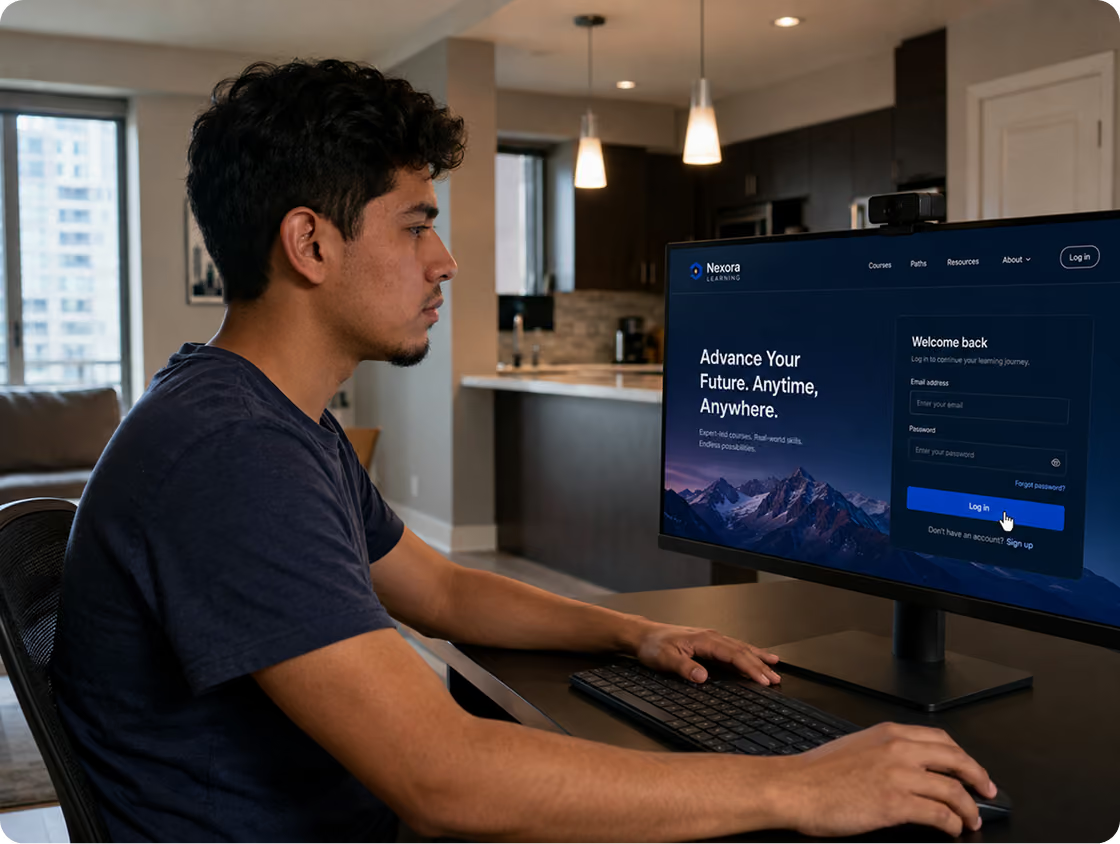
Assessments begin where learning already happens
Participants should not have to leave familiar systems to complete an assessment. Integrity Advocate integrates with leading learning platforms, so assessments launch directly from your LMS or testing portal.
The result is a seamless experience that reduces participant confusion and simplifies administration.
SIMPLICITY BENEFITS EVERYONE
Less friction and stronger delivery
Removing technical barriers creates a better experience for everyone involved; from participants taking an assessment to the administrators and IT teams supporting it.
Participants
Begin assessments with fewer technical hurdles, helping reduce stress and anxiety before testing starts.
Administrators
Reduce setup questions, troubleshooting, and installation-related support tickets.
IT teams
Integrate seamlessly without software deployment, browser extension management, or ongoing maintenance.
Organizations
Scale secure assessments with lower support demands and less operational overhead.
Ranked #1 Online Proctoring tool for Ease of Use on G2



MORE TO EXPLORE
Continue exploring ways Integrity Advocate removes complexity
Explore the capabilities and design principles behind a better assessment experience.
Verified Human Review
AI identifies patterns. Trained specialists provide context and make fair, defensible decisions.
Privacy by design
Collect only what's needed, never sell participant data, and give organizations control over retention.
Works on any device
Deliver secure assessments across laptops, Chromebooks, tablets, and mobile devices.
Accessibility & global scale
Create inclusive assessment experiences that support participants around the world.
#1 Ease of Use
Purpose-built to reduce support requests and simplify every assessment.
Seamless integrations
Launch assessments directly from the LMS and learning platforms you already use.
WHAT OUR CLIENTS SAY
“Integrity Advocate works on all devices. We don't hear any complaints, you don't need to download any applications. The validation is very quick, the turnaround is very quick, the support is great, and it’s on demand.”

Resources on browser-based assessment delivery
Explore insights on browser-based proctoring and simplifying secure assessment delivery.

The Growing Risk of Installing Browser Extensions and Plugins
November 1, 2020
|
4
min read
Proctoring software that requires installation gives vendors access to webcams, microphones, browsing history, and personal files, often without users fully understanding what they are agreeing to. This post examines the real risks of browser extensions and plugins, the Cassidy Wolf case as a landmark example of what can go wrong, and how Integrity Advocate's no-download, browser-based architecture eliminates most of these risks by design.
No-Installation Online Proctoring: TopClass LMS Integration with Integrity Advocate
August 15, 2025
|
3
min read
TopClass LMS and Integrity Advocate demonstrated their integration in a recent webinar, showing how no-installation, privacy-first proctoring can be enabled with a single checkbox in the TopClass environment. Key highlights include Integrity Advocate's founding philosophy that user privacy and exam security do not require software installation, over 10 million sessions proctored with a 0.58% support rate, human review on every session by background-checked reviewers, customizable security levels from basic ID verification to comprehensive monitoring, and 24/7 global availability for on-demand exam scheduling.

Why Ease of Use & No-Install Proctoring Matters More Than Ever
December 11, 2025
|
4
min read
Proctoring works best when it is almost invisible. When the first interaction a learner has with a proctoring tool involves downloading a launcher, requesting elevated permissions, or troubleshooting errors, it introduces friction before a single question is answered. That friction drives anxiety, failed assessment starts, elevated support tickets, and lower perceived fairness. This post examines why ease of use has become a competitive advantage in proctoring, how no-install design reduces friction while maintaining integrity, and what the market is actually asking for as institutions rethink their assessment experience in 2026.
Preguntas frecuentes
Find answers to the most commonly asked questions.
Integrity Advocate runs securely in any modern browser, eliminating the need for software downloads, browser extensions, or administrator permissions. Participants can launch assessments quickly while your organization maintains the security and oversight it expects.
Yes. Integrity Advocate integrates with leading learning management systems and assessment platforms, allowing participants to launch assessments directly from the systems they already use. This creates a more seamless experience and reduces unnecessary steps before testing begins.
Yes. Browser-based delivery does not mean reduced security. Integrity Advocate combines secure browser-based technology with identity verification, AI-assisted monitoring, advanced security features, and trained human review to help organizations deliver fair, defensible assessment outcomes.
No. Participants do not need administrator rights to install software or browser extensions before beginning an assessment. This reduces technical barriers, minimizes support requests, and creates a smoother assessment experience.

See how simple secure assessments can be.
Schedule a personalized walkthrough to see how Integrity Advocate protects participant data, supports global privacy requirements, and helps organizations deliver secure, defensible assessment outcomes.
10M+
Total sessions proctored
65+
Languages supported
98%
Client retention rate