Ease of Use
+7 pts above avg
95%
IA
95%
AVG
88%
October 1, 2026
|
5 min read
IntegrityView secures assessments in the browser and gives your team the full session context to review in-house. The participant, screen and session activity come together in one view, so every decision is made in context. No lockdown browser, no installs, and the final decision stays with you.

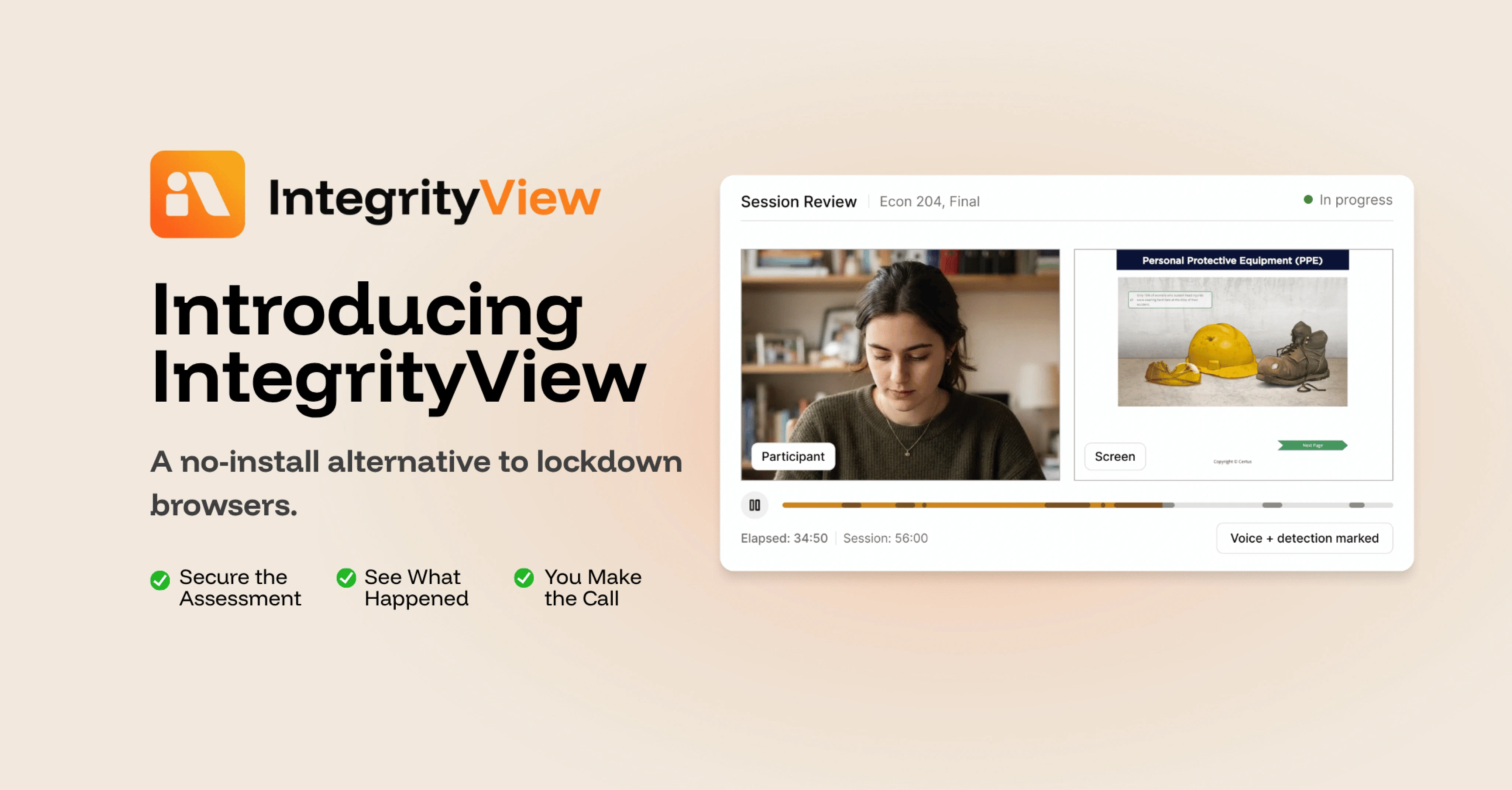
IntegrityView™ is a no-install, browser-based proctoring option for programs that want to keep assessment review in-house. It captures the test taker, screen and relevant session activity in one synchronized view, giving your team the context to review what happened and make the final decision.
It’s built for institutions that want more visibility and context than a traditional lockdown-only approach, without moving to a fully managed proctoring model.
Most programs weighing online exam security land on two options: a fully managed proctoring service, or a lockdown browser. The right fit depends on your budget, the size of your team, the level of security your assessments require, and who you want reviewing the session.
IntegrityView is designed for teams that already review assessment sessions internally, organizations evaluating alternatives to lockdown browsers, and programs that want to add assessment security without outsourcing every review.
"Review is not one-size-fits-all. We built IntegrityView because a lot of programs already have a review process and a person who runs it. It puts the session recording in their hands in a portal they are already using, with the context they need to reach a decision and protect the integrity of their program." Nik Cheng, Lead Product Manager
IntegrityView is browser-based proctoring for teams that want to review their own sessions. Instead of locking down the device, it blocks selected activity and captures evidence of the rest. Your team gets both security and a clear record of the session.
Less setup. IntegrityView runs in the browser test takers already use and fits into your existing LMS workflow. There's no lockdown browser to download, no version to keep current, and no compatibility checks before exam day. Test takers follow a clear, step-by-step check-in and start the assessment.
More context. Every session captures the participant, the screen, voice activity and session events together. When something happens, your reviewer sees what the test taker was doing and what was on screen at that moment.
Built-in controls protect the assessment, including copy-paste protection, known AI extension blocking, second-monitor blocking and full-screen enforcement.
Security shouldn't come at the cost of a finished exam. When a test taker leaves full-screen mode or opens a blocked tool, IntegrityView alerts them in real time so they can correct course and keep going. This gives the test taker an opportunity to correct the issue in the moment, rather than leaving every event for the reviewer to interpret later.
Session activity and system events are visible, helping reviewers navigate the recording more efficiently. At 5x playback, a one-hour session takes about 12 minutes. For a small team, that's the difference between reviewing a full exam cohort in an afternoon and losing a week to it.
Each decision is documented with notes and timestamps, so the reasoning stays attached to the outcome.
Not every program needs managed review for every assessment. If your team has the expertise and authority to make the final determination, IntegrityView gives you the technology and evidence to run review internally. It fits:
Some results carry more weight. Your results may face regulator or appeal scrutiny, your volume may outgrow your team, or you may need trained reviewers applying your rules the same way on every flag. In those cases, managed proctoring carries that load. Every flagged session is reviewed by a trained Integrity Advocate reviewer, independently audited, and documented in an audit-ready record.
Start with the review model that fits today. Move to managed proctoring when your program needs it.
IntegrityView comes from the same platform programs already trust with their assessments. That means 10M+ assessments secured, zero data breaches in 12+ years, a 98% client retention rate, and a #1 ranking for ease of use on G2.
{{post-cta}}

September 3, 2026
|
5 min read
Most proctoring platforms stop at the flag. Integrity Advocate does not. This post walks through what a trained reviewer actually looks at, how a decision gets documented, and what happens if a test taker disputes the outcome, so admins know exactly what stands behind every result.
An automated flag is not a decision. It is a signal that something in a session looked different from expected, a glance away from the screen, a second voice in the room, a browser tab that opened at the wrong moment. What happens next is where most platforms stop talking, and it is exactly where the real work of assessment security begins.
For programs issuing results that carry weight, whether that is a certification, a compliance sign-off, or an academic grade, the review process behind a flag matters as much as the flag itself. Here is what actually happens.
Flags come from a mix of signals collected during the session: unusual movement, a change in lighting or audio, a browser event, an identity mismatch at check-in. None of these signals mean a test taker did anything wrong. They mean the system noticed something worth a second look.
This is the point where the two approaches to online proctoring diverge. A platform built on automated decisioning treats the flag as close to final, sometimes reducing a result to a risk score with little context behind it. A platform built on human review treats the flag as the start of a process, not the end of one.
Once a session is flagged, a trained reviewer opens the recording alongside the full context of the exam: the timestamp of the flag, the identity verification completed before the session started, and the behavior immediately before and after the triggering moment.
The reviewer is looking for the difference between a pattern that constitutes a violation and a pattern that does not, something an algorithm has no way to judge. A test taker glancing off screen to think through a problem looks identical to a system as a test taker glancing at a second monitor. A person can tell the difference in seconds. That distinction is the entire value of putting a trained reviewer behind every flag before any outcome is issued, not just the flags a system considers high risk.
{{post-stat-highlight}}
Every reviewed session results in a written outcome, not a number. That record includes what was flagged, what the reviewer observed, and the reasoning behind the final determination. This is the piece that turns a proctoring tool into a source of evidence a program can actually stand behind.
When a result gets challenged later, whether by a student, a candidate, an employer, or a regulator, the program needs more than a score. It needs a record that shows a real person looked at the specific moment in question and reached a specific, explainable conclusion. That record is what makes a result defensible.
A documented review gives programs somewhere to start when a result is questioned. Instead of pointing to an automated flag and hoping it holds up, an administrator can point to a reviewed session, a timestamped recording, and a reasoned explanation. That is the difference between a decision a program can explain and one it can only report.
This matters most in the moments programs plan for least: an appeal from a student, a compliance audit from a regulator, or a challenge to a certification result years after the exam took place. A defensible process is only defensible if it holds up when someone actually asks.
Fully automated systems are fast and they scale easily, but a score with no context is difficult to defend and carries real fairness risk. In-person testing centers solve the trust problem with human judgment, but they cannot scale and the cost is often prohibitive for programs running at volume.
Human review built into every session, not offered as a premium add-on, is what lets a program scale online without losing the judgment that makes a result defensible. As AI-assisted answer generation makes behavioral flags harder to interpret on their own, that judgment is not a nice-to-have. It is the piece of the process that automated systems cannot replicate.
Fair, trustworthy, and defensible is not a tagline. It is what a documented, human-reviewed process actually produces, session by session, for every program that runs on it.
{{post-cta}}
September 2, 2026
|
5 min read
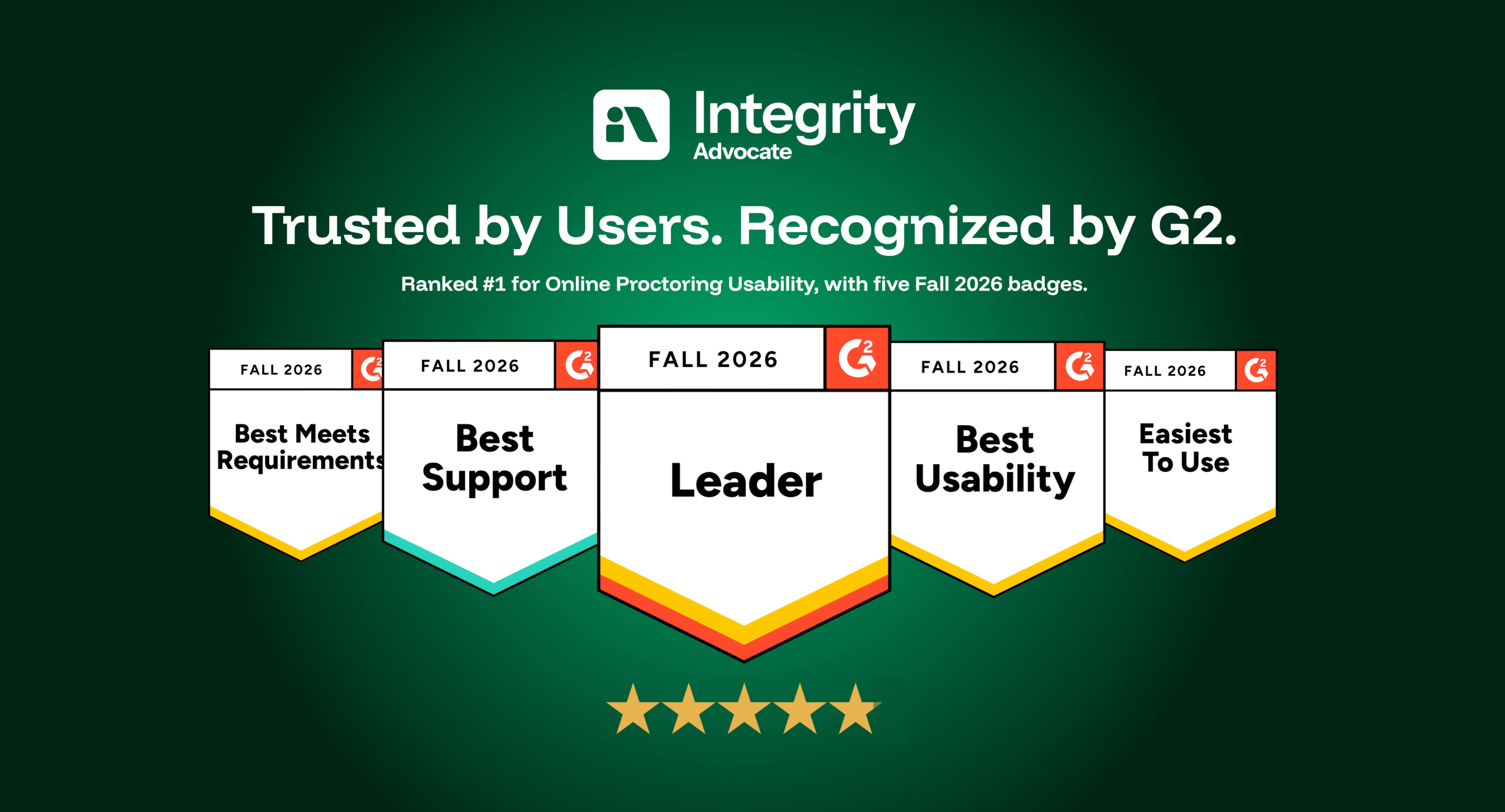
Integrity Advocate has been ranked #1 for Online Proctoring Usability on G2 for the third consecutive season. Based on verified customer feedback, we also earned five Fall 2026 badges recognizing usability, ease of use, support, and overall leadership.
Integrity Advocate has once again been ranked #1 in G2’s Usability Index for Online Proctoring, marking our third consecutive season at the top of the category.
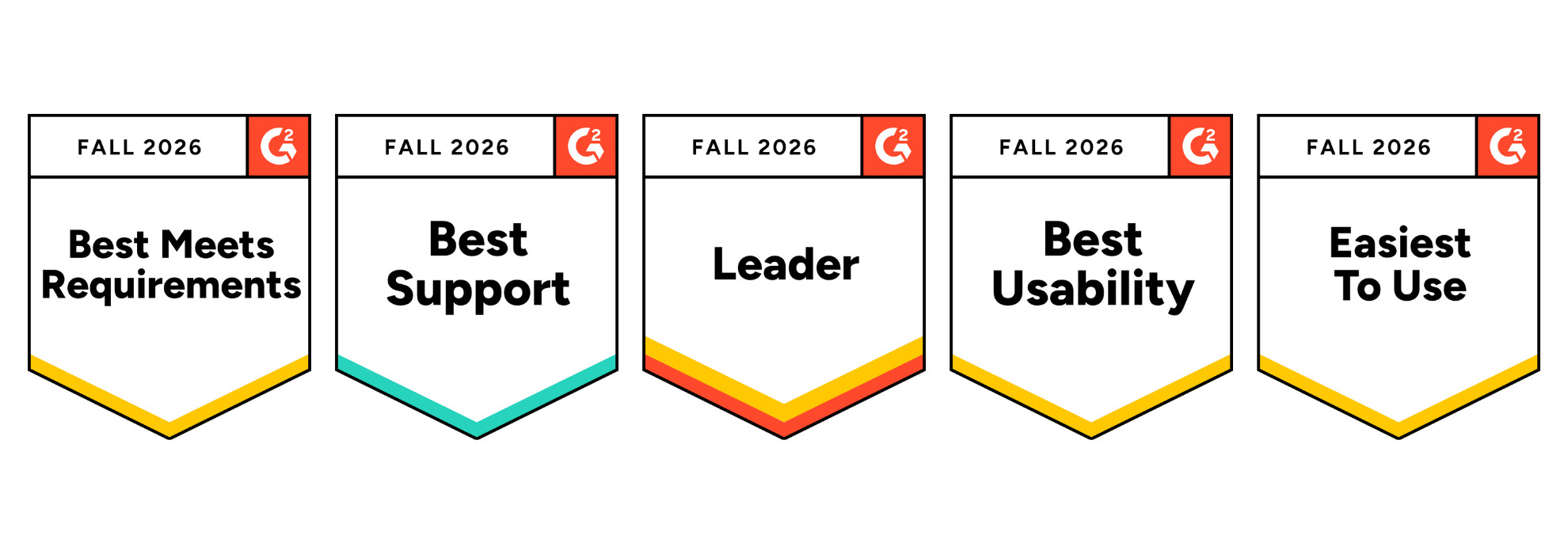
In the Fall 2026 report, Integrity Advocate earned an overall G2 Index Score of 8.60, ahead of Honorlock, Proctorio, Quilgo, Talview, and Meazure Learning. We also earned five G2 badges, including Best Usability, Easiest to Use, and Best Meets Requirements, and were recognized as a Leader in the online proctoring category.
These recognitions are based on feedback from verified users. For us, that is what makes them meaningful. They reflect the experiences of the people who administer assessments, support test takers, and rely on the results.
Integrity Advocate earned the highest overall score in the Fall 2026 Online Proctoring Usability Index:
This is not only another first-place ranking. Our overall index score increased from 8.45 in Summer 2026 to 8.60 in Fall 2026, extending Integrity Advocate’s position at the top of the category.
G2 is the largest peer-to-peer software review platform in the world. Their Usability Index ranks products within a category based on three user-rated dimensions:
Every score comes from authenticated, verified reviews. Companies cannot pay to improve their position. There is no sponsorship or placement influencing the results. The index score reflects what users say about their experience with the product.
Integrity Advocate scored above the online proctoring category average across every usability measure included in the report:
User adoption stands out in particular. Integrity Advocate scored 17 points above the category average and 28 points above Honorlock.
That matters because a platform can have an impressive feature list and still create friction when people are asked to use it. Strong adoption suggests that the experience works in practice, not only during a product demonstration.
In addition to ranking first in the Usability Index, Integrity Advocate earned five G2 badges for Fall 2026 and was recognized as a Leader in online proctoring.
The Best Usability, Easiest to Use, and Best Meets Requirements badges reinforce something we have always believed: assessment security should be strong without being unnecessarily complicated.
Organizations should not have to choose between protecting an assessment and delivering an experience people can successfully use.
Online proctoring sits at a sensitive point in the assessment experience. Test takers may already be under pressure, while administrators need to protect exam integrity without creating unnecessary technical problems or support demands.
A platform that is difficult to access or manage can lead to:
Integrity Advocate was designed to remove those barriers.
There is no software to install and no browser extension to manage. The platform works across devices and browsers and integrates into existing assessment workflows. Test takers can access their assessments without navigating a separate, unfamiliar system, while administrators gain clear evidence and the context needed to evaluate results.
Usability is not separate from assessment integrity. When a platform works consistently, more attention can remain where it belongs: on the assessment and the credibility of its outcome.
Ease of use should never require an organization to compromise on accuracy or defensibility.
Integrity Advocate combines intelligent detection with Verified Human Review™ to provide context behind potential assessment violations. Instead of asking administrators to make decisions based only on an automated flag, our proctoring solutions can provide a clear, reviewable record supported by human judgment.
The result is an approach that protects assessment integrity while remaining practical for the people responsible for administering the program and fair to the people taking the assessment.
Across reviews, users consistently highlight the qualities reflected in the Fall 2026 report: straightforward implementation, ease of use for learners and administrators, seamless LMS integration, responsive support, and a privacy-first approach to assessment integrity.
As one verified user shared:
{{post-block-quote}}
That experience is what the rankings ultimately represent. Not simply a score, but whether the platform helps organizations protect assessments without placing unnecessary friction on their teams or test takers. View more customer stories here.
If you are currently comparing online proctoring solutions, usability should be evaluated alongside security, privacy, and review quality.
Consider asking:
The Fall 2026 G2 results provide an independent view of how leading platforms perform across many of these considerations.
Being ranked #1 once is exciting. Remaining at the top for three consecutive seasons tells a stronger story.
It shows that organizations do not have to accept unnecessary complexity as the price of protecting their assessments. Online proctoring can be secure, privacy-first, easy to administer, and straightforward for test takers.
That is the experience Integrity Advocate was built to provide, and we are grateful to every customer who shared their experience on G2.
The G2 ranking reflects a platform that has been in continuous operation for over a decade:
{{post-cta}}

April 6, 2026
|
5 min read
Not sure which proctoring tool fits your program? This guide compares the top 10 platforms of 2026, breaks down the three proctoring models, and shares the one vendor question that determines what your results are actually worth.
The market for best online proctoring tools has grown fast, and so has the noise around it. The global online proctoring market is projected to grow from $700 million in 2023 to over $2.1 billion by 2030. Remote learning is standard. AI-assisted cheating is a real and growing threat. And programs across education, credentialing, and workforce training are under more pressure than ever to issue results that are trusted, accurate, and defensible.
In many ways, the tools have kept up with that growth. But not all of them have kept up in the right ways. Some have leaned hard into automation at the expense of fairness. Others have added AI features without answering the question programs actually need answered: when a result is challenged, can you stand behind it?
The market has largely framed this as a choice. Speed and scale on one side. Human judgment and defensibility on the other. What most programs actually need is both, without having to trade one for the other. That is what this list is really about.
Feature lists are easy to produce. What matters is whether a platform solves the problems that actually cost programs time, money, and credibility. Here is the framework worth using:
When a flagged incident leads to a consequence, someone will ask how that decision was made. AI alone cannot answer that question in a way that holds up to scrutiny. You need a documented human review trail. Not an algorithm output. A process.
Data privacy requirements are not going away. FERPA, GDPR, and emerging state-level frameworks all affect how proctoring data can be collected, stored, and used. Platforms that treat privacy as a compliance checkbox are a liability. The ones built around data minimization from the ground up are not.
Proctoring that feels invasive or surveillance-heavy creates friction, complaints, anxiety, and lower completion rates. The process should feel fair to the person going through it. When it does, you get fewer disputes and better outcomes.
Implementation support, responsive account management, and an onboarding process that actually works. Client retention rates tell you more than case studies.
Identity verification before the exam. Monitoring during it. Clean, documented results after. Gaps in any of those stages are gaps in your program’s integrity.
Every tool on this list falls into one of three categories. The model matters as much as the features.
Best for: Education, professional certification, and any program where results need to be defensible.
Integrity Advocate is built on one principle. Every AI flag is reviewed by a real person before it becomes an outcome. Not as an add-on. Not a premium tier. That is how the platform works, for every client, on every exam. AI identifies. Humans verify. Your program gets results that are fair, accurate, and built to hold up.
The platform is browser-based and requires no installation on student devices. No downloads, no extensions, no IT bottleneck. It works across any device, browser, and LMS, including Chromebooks. Test takers show up and take the exam.
Privacy is built into the architecture from the ground up. No unnecessary data storage, no invasive browser installs, and zero data breaches across more than 12 years of operation. That is not a claim. It is a record.
Coverage spans the full assessment lifecycle. Identity verification, exam monitoring, human review, and credential delivery through the Accredible integration all run on one platform with no gaps between stages.
With a 98 percent client retention rate, the relationship Integrity Advocate builds with programs is a meaningful part of the value. Programs stay because the relationship works, not just the technology.
Key strengths Mandatory human review on every flag, privacy by design, zero breaches in 12 years no install, works on any device or LMS, full assessment journey coverage, 98% client retention
Best for: High-stakes certification and licensing exams.
ProctorU offers live human proctoring with real-time intervention capability. Strong audit trails and 24/7 scheduling make it a reliable option for high-stakes professional exams. Examity has been folded into this platform. Per-session pricing and scheduling requirements limit scalability for programs running high volumes with flexible timing needs.
Best for: Programs that need high environmental security and flexible proctoring configurations.
Proctor360's standout feature is its proprietary 360 Total View headset, which captures a complete view of the testing environment. It supports multiple proctoring modes including AI auto-proctoring, single and multi-camera live, and recorded review. Highly configurable for institutions that want different security levels across different exam types. Integrates with Canvas, Moodle, and Blackboard. Human review availability depends on the configuration and tier selected.
Best for: Large enterprises running high-volume, complex assessments.
Talview has invested significantly in AI capability, including a multi-layer security framework and behavioral analysis tools. It operates across more than 120 countries and handles significant scale. The platform skews toward enterprise hiring and large institutional clients. Mid-market education and certification programs may find it designed for a larger and more complex buyer than their needs require.
Best for: Higher education institutions running frequent, mid-stakes exams.
Honorlock combines AI monitoring with on-demand live proctors and is well established in the higher education market. Human review is available but not mandatory on every flagged incident, which means your institution may still be making decisions on contested results. Pricing is competitive for volume.
Best for: High-volume, lower-stakes exams where cost is the primary driver.
Fully automated with no human proctors involved. Proctorio tracks eye movement, audio, and keystrokes and delivers a low per-exam cost that makes it accessible at scale. The trade-off, however, is real: flag review is handed back to your institution. If 15 to 20 percent of your exams are flagged and your staff is sorting through them, the savings on the tool may not reflect the actual cost to your program.
Best for: Institutions already embedded in its LMS ecosystem.
Respondus is widely adopted in higher education and functions primarily as a lockdown browser with a monitoring layer. It works best as a deterrent within a broader integrity approach rather than a standalone proctoring solution. There is no live or mandatory human review component, and the platform requires a browser extension on student devices.
Best for: Government licensing exams.
Enterprise-grade security with strong identity verification and regulatory compliance, built specifically for high-stakes professional and government licensing exams. Well suited to that context and less flexible for mid-market education programs that need a more configurable setup.
Best for: Programs that need tiered options and pricing flexibility.
Proctortrack offers multiple monitoring modes from automated to live, giving institutions flexibility to match oversight levels to exam stakes. Human review availability depends on the tier selected. Evaluate carefully what is and is not included at each pricing level before committing.
Best for: Corporate hiring and skills-based assessments.
Mercer Mettl combines psychometric testing with proctoring in one platform and integrates well with HR systems. Built for the recruitment context. Programs in academic or professional certification settings will find it designed for a different buyer and a different workflow.
How the Top Tools Compare
The right platform depends on what your program actually needs to protect.
If your exams carry real consequences, certifications, academic credentials, professional licensing, your results need to be auditable. In practice, that requires mandatory human review and a documented process, not an algorithm output. Start there.
If privacy compliance is a growing concern, look for platforms where data minimization is structural, not a feature toggle. Ask vendors specifically what data is stored, for how long, and where. Zero breaches in 12 years is a different answer than a privacy policy page.
If learner experience matters to your completion rates and your program's reputation, choose a tool that requires no installation and has been validated by learners as fair. Those programs see fewer disputes and better outcomes.
If implementation burden is a concern, ask vendors what onboarding actually looks like beyond the kickoff call. Client retention rates tell you more than any case study will.
Most proctoring platforms will tell you they deliver trusted results. The question worth asking is how. If the answer is AI monitoring and a flag report, that is a starting point, not a complete answer. The programs that make defensible, fair, and accurate assessment decisions are the ones that pair AI detection with documented human review, protect learner data by design, and work with a platform that treats their program like a partner.
The tools that deliver all three, without asking you to trade one for another, are the ones worth your time.
Every flag reviewed by a real person. No installs. Zero breaches in 12 years. See how Integrity Advocate works and what it means for your program.


Find answers to the most commonly asked questions from our clients.
IntegrityView is a no-install way to secure online assessments. It captures the test taker, their screen, and relevant session activity in one synchronized view, so your team can review what happened and make the determination.
A lockdown browser restricts what a test taker can do on their device. IntegrityView doesn't rely on restriction alone. It gives you visibility into what actually happened during the assessment, along with built-in controls like copy-paste protection, known AI-extension blocking, second-monitor blocking, and full-screen enforcement.
Your team does. IntegrityView gives your reviewers the session recording, the context around each alert, and the tools to document every decision. If you'd rather have trained Integrity Advocate reviewers assess every flagged session, that's managed proctoring.
Start with the review model that fits today. If your volume grows, your stakes rise, or you want trained reviewers applying your rules on every flag, our team can walk you through moving to managed proctoring.