
NEONTRAIN BRIGHTSPACE INTEGRATION
Secure Assessments Inside NeonTrain Brightspace
Add identity verification and browser-based proctoring to your NeonTrain Brightspace environment. No downloads, no extensions, and a trained person reviews every flagged session before a result is issued.
Built for NeonTrain Brightspace
NeonTrain builds, manages, and supports your Brightspace environment. Integrity Advocate adds a layer of security to your assessments through identity verification, online proctoring, and human review.
Learners verify their identity and complete assessments right in their Brightspace courses without downloads, extensions, or a complicated setup. Integrity Advocate then monitors each session, stopping prohibited activity in the moment and flagging anything that needs a closer look.
A trained Integrity Advocate reviewer checks every flagged session against the rules you set before any result is issued. Every outcome is fair, documented, and ready to defend, and the final decision always stays with you.



Why NeonTrain Customers Choose Integrity Advocate
Privacy-first proctoring that runs inside your NeonTrain Brightspace courses.
Stop impersonation before an assessment starts. Learners complete a quick in-browser check with a selfie and government-issued ID, matched to their name in Brightspace. You know the right person is taking the assessment.
We collect only what's needed to protect the assessment, explain why it's needed, and keep it in an environment backed by SOC 2 Type II controls. Participant data is never sold.
Set proctoring by quiz, assignment, or activity right in Brightspace. Your rules drive every review, and each result arrives documented and audit-ready without extra manual oversight.
Learners launch assessments from their NeonTrain courses on their own devices. No downloads, plugins, or extensions, which means fewer technical issues and fewer support tickets.
Match the level of security to the stakes, from identity verification to full proctoring. Every tier includes human review, so oversight scales without trading off fairness.

Get Started in 4 Simple Steps
Integrity Advocate is available on NeonTrain's Managed and Self-Managed Brightspace plans. Setup takes a few steps and leaves your existing course workflows as they are.
Enable in Brightspace
Turn on Integrity Advocate once in your Brightspace admin settings. On Managed plans, NeonTrain handles this for you.
Add to your courses
Add Integrity Advocate to the courses and assessments that need protection.
Configure each activity
Choose identity verification, proctoring settings, and review options for each assessment.
Launch and review
Learners complete assessments in Brightspace while administrators review documented results from a single dashboard.
See Integrity Advocate Inside Brightspace
NeonTrain runs on Brightspace, so this walkthrough shows what your learners and administrators will see: identity verification, in-session monitoring, and how results are reviewed, all without leaving the course.
Prefer to click through it yourself? Try the interactive simulation.
What do our clients say about us?
Integrity Advocate integrates directly into Brightspace without needing any additional downloads. This seamless integration simplifies the verification process for our students. It's incredibly convenient and has significantly reduced the amount of tech support we need to provide, streamlining our operations. The ease of use and hassle-free setup make it an invaluable tool for our needs.

NeonTrain
NeonTrain connects organizations to Brightspace and stays with them after launch, with course builds, custom training, and ongoing support from a team of learning experts. Whether NeonTrain manages your environment or your team runs it, the platform is built around your learning goals.
Integrity Advocate extends that environment to assessment security. Identity verification, online proctoring, and participation monitoring run inside your courses, and a trained person reviews every flag. Together, NeonTrain and Integrity Advocate give you a learning environment where results hold up.

Brightspace & Integrity Advocate Resources
Explore guides, videos, and best practices for delivering secure, learner-friendly assessments inside Brightspace.
Integrity Advocate Announces Integration with D2L Brightspace
June 26, 2024
|
min read
Integrity Advocate has announced a partnership with D2L, integrating identity verification, participation monitoring, ExposeAI detection, and live proctoring directly into D2L Brightspace. The integration requires no participant installation and generated a 0.65% support rate in 2023, giving Brightspace users a streamlined way to maintain assessment integrity against AI-powered cheating tools.
OnDemand Webinar: Smarter Safety, Health & Environmental Training Starts Here with D2L and Integrity Advocate
October 14, 2025
|
min read
The ANSI Z490.1-2024 update merges in-person and online Safety, Health and Environmental training requirements for the first time, raising the bar for verifiability, accountability, and audit-readiness. In this on-demand webinar hosted by D2L and Integrity Advocate, industry experts break down what has changed, why check-the-box safety training no longer meets compliance expectations, and how the D2L and Integrity Advocate integration delivers verifiable, learner-friendly SHE programs with identity verification, participation monitoring, and audit-ready documentation.
The Three Questions That Stayed With Us After D2L Fusion
July 20, 2026
|
min read
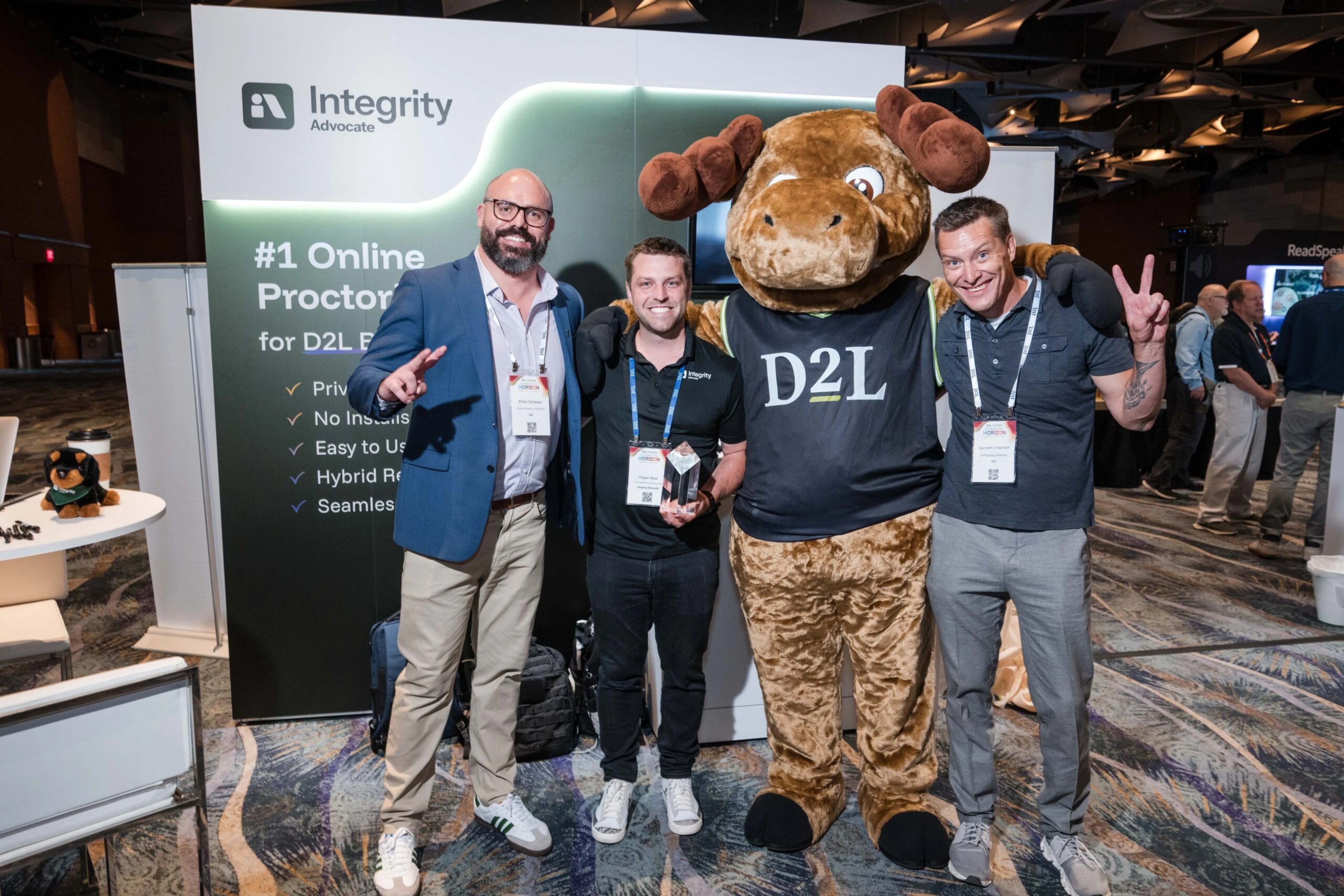
D2L Fusion 2026 reinforced a clear message for the future of education: innovation must be balanced with privacy, transparency, and human judgment. Inspired by three questions posed during the conference keynote, Integrity Advocate CEO Brandon Smith reflects on why responsible AI, Privacy by Design, and Verified by Human Review™ are essential to building trust and protecting assessment integrity in an AI-driven world.
Questions fréquentes
Find answers to the most commonly asked questions.
Yes. Integrity Advocate integrates directly with Brightspace, so learners launch assessments inside their NeonTrain courses with no downloads or browser extensions.
Yes. Integrity Advocate is available on NeonTrain's Managed and Self-Managed Brightspace plans.
No. Assessments run entirely in the browser, which means fewer technical issues and fewer support requests.
Yes. Apply the level that fits each assessment, from identity verification to full online proctoring.
Automated monitoring flags potential concerns, and a trained specialist reviews every flag before a result is issued. Each outcome is documented, and the final decision stays with your program.