
THOUGHT INDUSTRIES
Online Proctoring for Thought Industries
Integrity Advocate connects to Thought Industries so you can verify identity and proctor tests and quizzes inside your courses. Learners need only a browser and a camera. A trained reviewer checks every flag before results reach you.
Built for Thought Industries
Protect high-risk safety training and certification assessments without changing how your team builds courses. Our proctoring integrates directly with Thought Industries, so you can turn it on for any test or quiz page and tie a valid result to course completion.
From identity verification to online proctoring that is Verified Human Review™, every assessment runs in the learner's browser with nothing to install. Admins review results and override decisions without leaving Thought Industries.





HOW IT WORKS IN THOUGHT INDUSTRIES
Simple for test takers. Defensible for your program.
From the first quiz page to course completion, proctoring runs alongside your Thought Industries assessments. Learners have nothing to install, and every flag is checked by a trained person.
01 · Verify identity
Know who's taking the assessment.
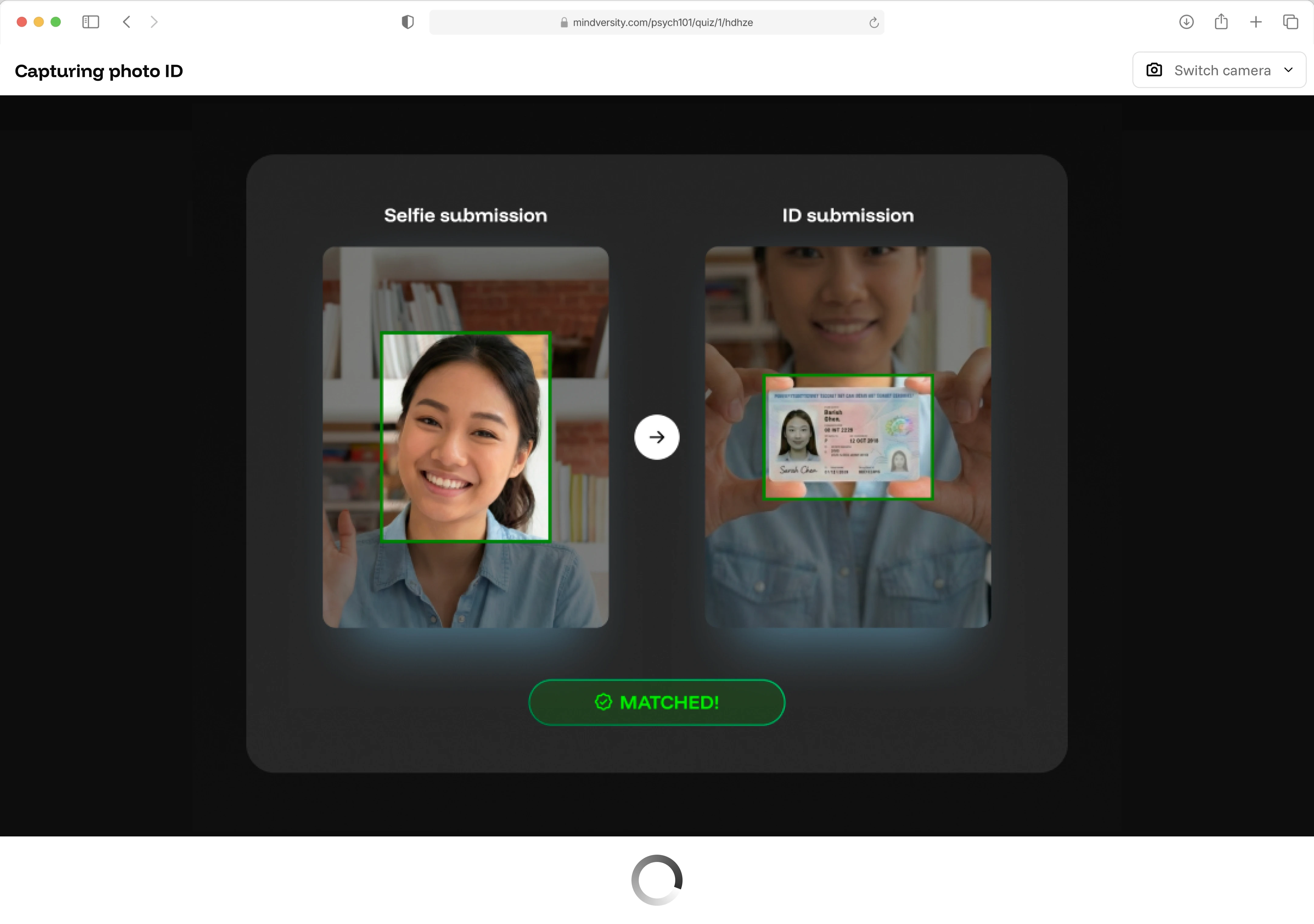
Before a proctored test or quiz starts, learners submit a photo and their ID. The start button stays locked until they're done.
02 · Monitor assessments
Monitor to your rules
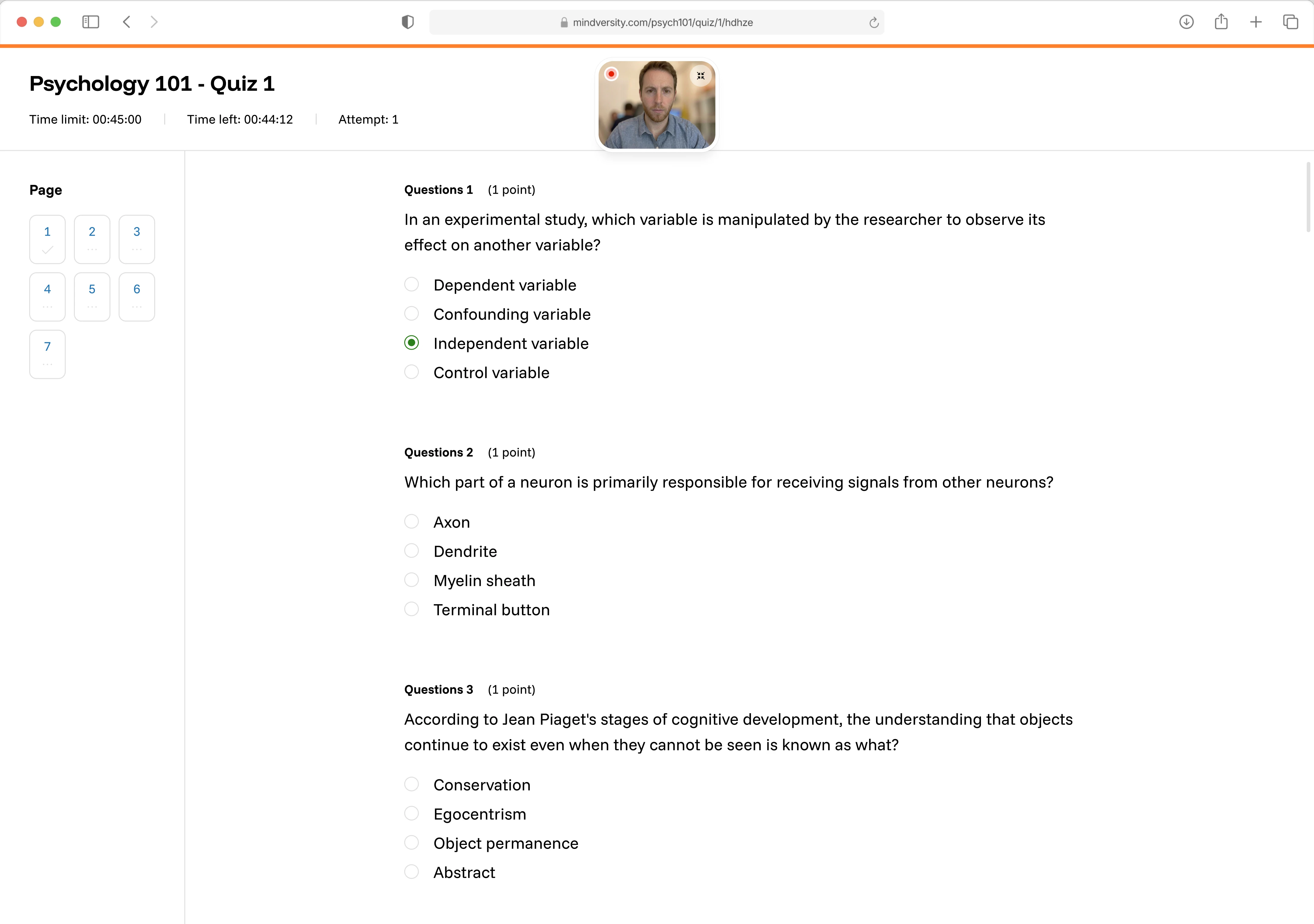
Admins choose the activation level and rules for each assessment page. Course navigation is locked during the session, so learners can't leave early by mistake.
03 · In-session alerts
Correct course in the moment
Browser prompts let test takers fix an issue, like stepping out of camera view, before it becomes a flag. They correct it and keep going.
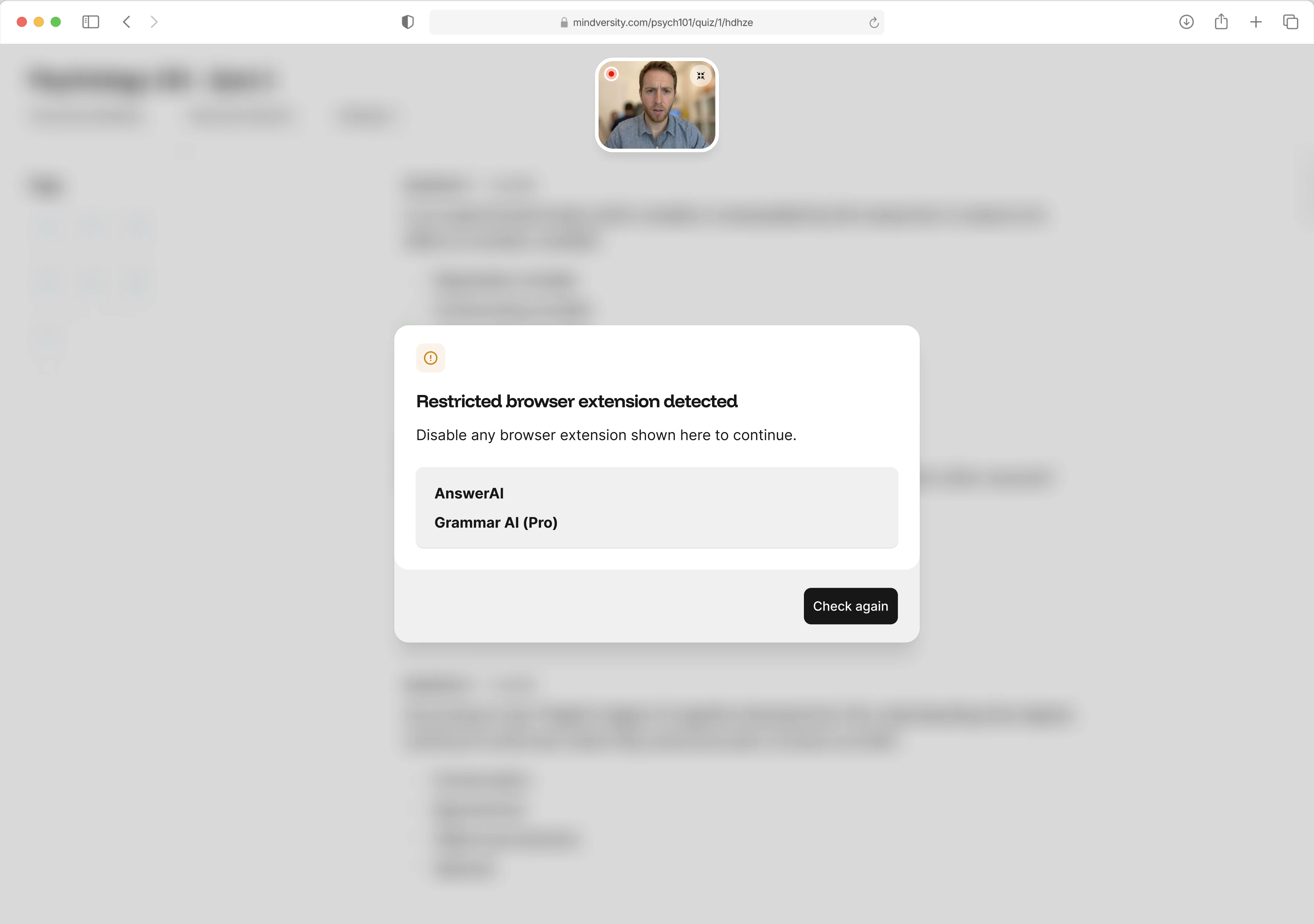
04 · Human review
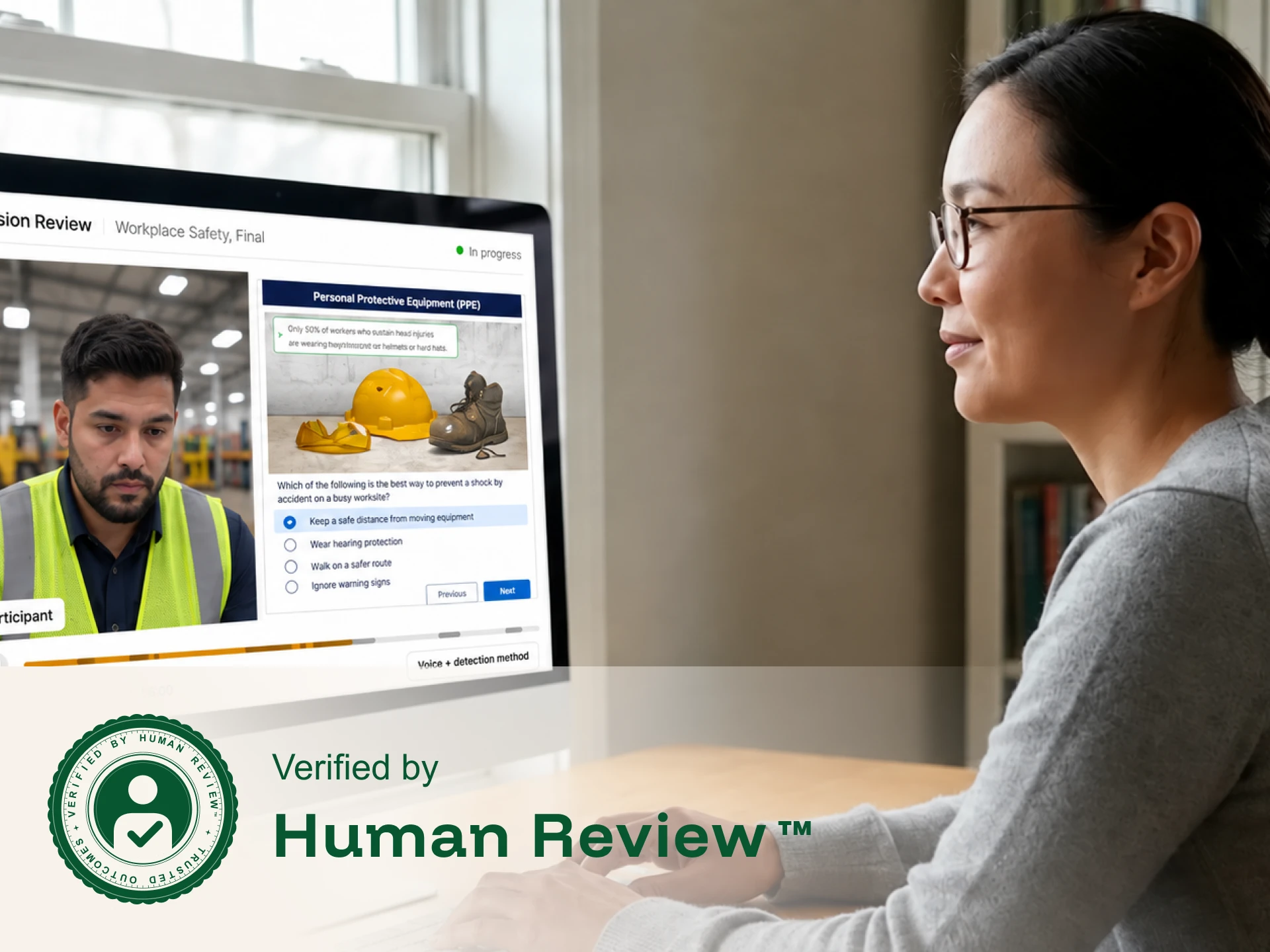
A trained person reviews every flag
Every flagged session is reviewed by a trained person before it receives a Valid or Invalid status, so honest learners aren't penalized by a false flag.
05 · Documented outcomes
Completion tied to a valid result
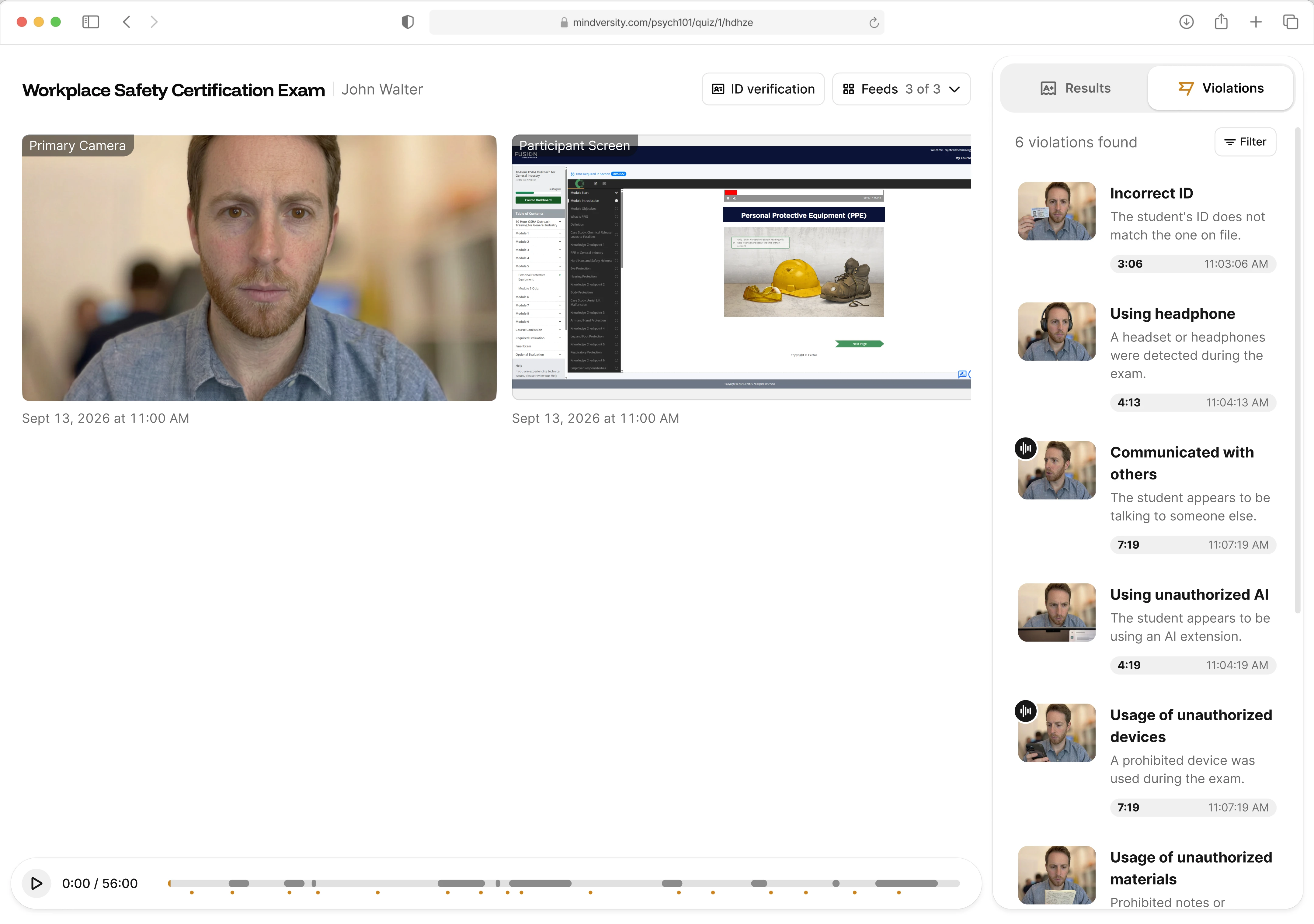
A Valid status satisfies the course's proctoring completion rule. Admins can review sessions and override a status from the proctoring widget, and completion updates to match.
Why training teams choose us for Thought Industries
Privacy-first proctoring that works inside your Thought Industries courses.
Learners submit a photo and government ID before the assessment opens. Each new attempt starts a new session with fresh verification.
Turning on proctoring adds a completion rule that learners must pass proctoring for that page. It can't be edited or deleted, only removed by turning proctoring off.
Our results widget sits in the authoring interface. Filter by assessment or learner, open each session, and override a status when needed.
Learners need a camera and an up-to-date browser. They can take assessments on a laptop, tablet, or phone. Assessments that require screen sharing need a laptop or desktop.
We collect only what each session needs and don't keep data longer than needed. SOC 2 Type II certified and built for GDPR, FERPA, and PIPEDA.

Connect to Thought Industries in 4 steps
Set up proctoring once, then turn it on for any test or quiz page in a few clicks.
Get your credentials
We set up your account, register your Thought Industries URLs, and issue your App ID and App Key.
Turn on the feature
Request the Integrity Advocate feature from Apps in your Thought Industries instance.
Connect your account
In Settings > Connections > Third Party, enter your App ID and App Key.
Proctor an assessment
In the Authoring Completion tab, open Proctoring, check the pages to proctor, choose the activation level and rules, and click Save.

Thought Industries
Thought Industries is an enterprise learning platform for customer, partner, member, and employee education. Teams use it to deliver courses, microcourses, and instructor-led training, including professional certifications and high-risk safety training.
Integrity Advocate connects to Thought Industries through a built-in integration. Turn on proctoring for any test or quiz page, and a valid result becomes part of course completion. Together, Thought Industries and Integrity Advocate give training teams verified, defensible results without adding friction for learners.

Assessment Integrity Resources
Explore guides, research, and best practices to help you make confident decisions about assessment integrity and online proctoring.

Étude de cas : Comment l'Alliance Safety Council a rendu la formation à haut risque accessible à distance sans compromettre sa validité juridique
février 24, 2025
|
3
min de lecture
L'Alliance Safety Council (ASC) définit depuis plus de 60 ans les normes de formation pour les travailleurs exposés à des risques élevés dans les secteurs de la pétrochimie, de la production d'énergie et de l'industrie manufacturière, où la conformité n'est pas une option. Leur modèle de formation en présentiel avec surveillance reposait sur la vérification d'identité et un suivi rigoureux, leur permettant d'agir en tant qu'administrateur tiers impartial pour leurs clients. Face à la demande croissante de formation à distance, l'ASC avait besoin d'une solution capable d'offrir la même fiabilité juridique sans les contraintes logistiques ni les obstacles techniques imposés par la plupart des outils de surveillance en ligne. Integrity Advocate est devenu ce partenaire.

La formation à la sécurité en ligne doit être surveillée. L'industrie l'a exigé
août 1, 2020
|
4
min de lecture
Les organismes de réglementation et les instances de normalisation dans les domaines des ressources humaines, de la santé et de la sécurité, du pétrole, de l'accréditation professionnelle et de l'établissement de normes sont unanimes : pour être juridiquement défendable, la formation en ligne doit inclure une vérification de l'identité et une surveillance active. Cet article examine les exigences de cinq grands organismes sectoriels, les situations où la législation a rendu la surveillance obligatoire et ce que cela implique pour les organisations qui proposent aujourd'hui des formations en ligne sur la sécurité.

Seamless Proctoring That Integrates Directly With Your LMS
novembre 20, 2025
|
min de lecture
Integrity Advocate integrates natively with major learning management systems and certification platforms via LTI, including D2L, Canvas, Moodle, TopClass, uxpertise, Thought Industries, and more, so organizations can activate proctoring exactly where they need it without rebuilding course structures or changing existing workflows. Learners click Begin, verify their identity, and take the assessment. Administrators access results and flagged sessions directly within the LMS. No installs, no extensions, no IT overhead, and no privacy tradeoffs.
Questions fréquentes
Common questions about using Integrity Advocate with Thought Industries.
Yes. The integration is built into the Thought Industries platform. Connect your Integrity Advocate account, then turn on proctoring for any test or quiz page.
Tests and quizzes in Courses, MicroCourses, and ILT or VILT with pre/post assessments.
No. They need a camera-equipped device and an up-to-date browser. Phones and tablets work unless the assessment requires screen sharing.
Navigation is locked, and learners can't resume or skip questions, so each attempt is completed in one sitting. Up to five proctoring sessions are allowed per activity, so five attempts or fewer is recommended.
Yes, if the assessment comes from the main site. Proctoring is set up on the main site only, to keep learner data separate between Panoramas.