Ease of Use
+7 pts above avg
95%
IA
95%
AVG
88%

Recherches, guides et analyses concrètes sur la surveillance d'examens en ligne ; pour aider votre programme à obtenir des résultats équitables, fiables et défendables.
Évaluations sécurisées
Violations de données en plus de 12 ans
Taux de fidélisation client
Ressources publiées

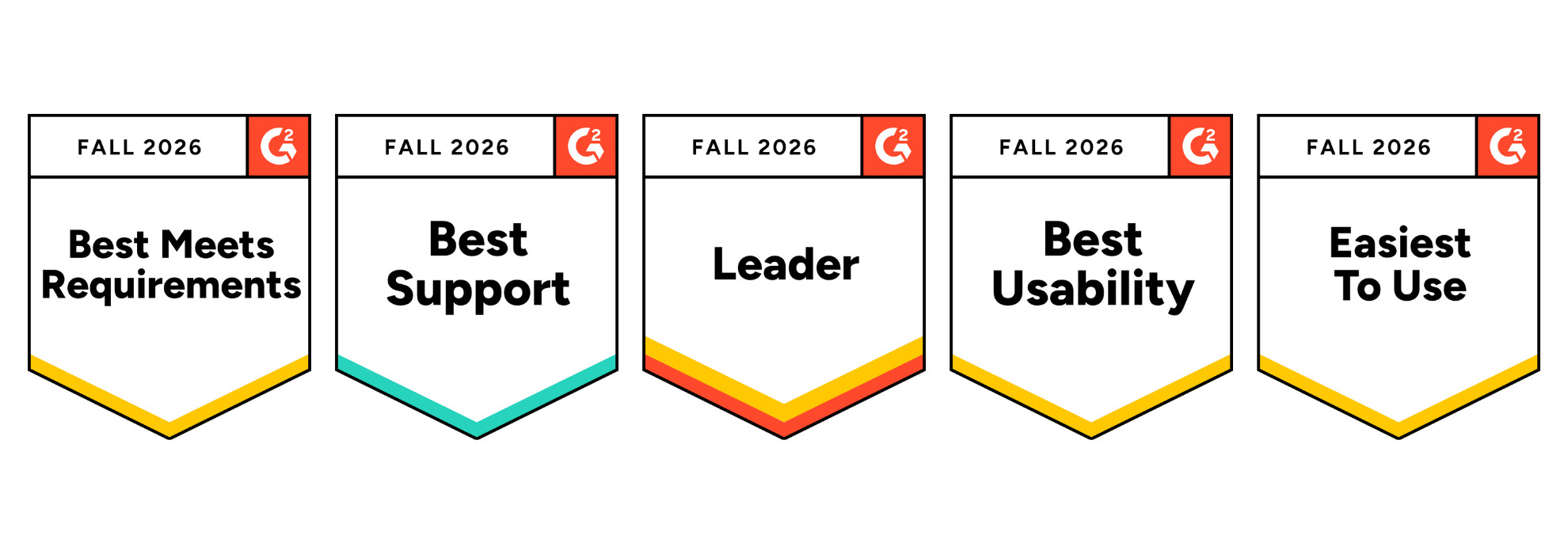
Integrity Advocate has been ranked #1 for Online Proctoring Usability on G2 for the third consecutive season. Based on verified customer feedback, we also earned five Fall 2026 badges recognizing usability, ease of use, support, and overall leadership.
Integrity Advocate has once again been ranked #1 in G2’s Usability Index for Online Proctoring, marking our third consecutive season at the top of the category.
In the Fall 2026 report, Integrity Advocate earned an overall G2 Index Score of 8.60, ahead of Honorlock, Proctorio, Quilgo, Talview, and Meazure Learning. We also earned five G2 badges, including Best Usability, Easiest to Use, and Best Meets Requirements, and were recognized as a Leader in the online proctoring category.
These recognitions are based on feedback from verified users. For us, that is what makes them meaningful. They reflect the experiences of the people who administer assessments, support test takers, and rely on the results.
Integrity Advocate earned the highest overall score in the Fall 2026 Online Proctoring Usability Index:
This is not only another first-place ranking. Our overall index score increased from 8.45 in Summer 2026 to 8.60 in Fall 2026, extending Integrity Advocate’s position at the top of the category.
G2 is the largest peer-to-peer software review platform in the world. Their Usability Index ranks products within a category based on three user-rated dimensions:
Every score comes from authenticated, verified reviews. Companies cannot pay to improve their position. There is no sponsorship or placement influencing the results. The index score reflects what users say about their experience with the product.
Integrity Advocate scored above the online proctoring category average across every usability measure included in the report:
User adoption stands out in particular. Integrity Advocate scored 17 points above the category average and 28 points above Honorlock.
That matters because a platform can have an impressive feature list and still create friction when people are asked to use it. Strong adoption suggests that the experience works in practice, not only during a product demonstration.
In addition to ranking first in the Usability Index, Integrity Advocate earned five G2 badges for Fall 2026 and was recognized as a Leader in online proctoring.
The Best Usability, Easiest to Use, and Best Meets Requirements badges reinforce something we have always believed: assessment security should be strong without being unnecessarily complicated.
Organizations should not have to choose between protecting an assessment and delivering an experience people can successfully use.
Online proctoring sits at a sensitive point in the assessment experience. Test takers may already be under pressure, while administrators need to protect exam integrity without creating unnecessary technical problems or support demands.
A platform that is difficult to access or manage can lead to:
Integrity Advocate was designed to remove those barriers.
There is no software to install and no browser extension to manage. The platform works across devices and browsers and integrates into existing assessment workflows. Test takers can access their assessments without navigating a separate, unfamiliar system, while administrators gain clear evidence and the context needed to evaluate results.
Usability is not separate from assessment integrity. When a platform works consistently, more attention can remain where it belongs: on the assessment and the credibility of its outcome.
Ease of use should never require an organization to compromise on accuracy or defensibility.
Integrity Advocate combines intelligent detection with Verified Human Review™ to provide context behind potential assessment violations. Instead of asking administrators to make decisions based only on an automated flag, our proctoring solutions can provide a clear, reviewable record supported by human judgment.
The result is an approach that protects assessment integrity while remaining practical for the people responsible for administering the program and fair to the people taking the assessment.
Across reviews, users consistently highlight the qualities reflected in the Fall 2026 report: straightforward implementation, ease of use for learners and administrators, seamless LMS integration, responsive support, and a privacy-first approach to assessment integrity.
As one verified user shared:
{{post-block-quote}}
That experience is what the rankings ultimately represent. Not simply a score, but whether the platform helps organizations protect assessments without placing unnecessary friction on their teams or test takers. View more customer stories here.
If you are currently comparing online proctoring solutions, usability should be evaluated alongside security, privacy, and review quality.
Consider asking:
The Fall 2026 G2 results provide an independent view of how leading platforms perform across many of these considerations.
Being ranked #1 once is exciting. Remaining at the top for three consecutive seasons tells a stronger story.
It shows that organizations do not have to accept unnecessary complexity as the price of protecting their assessments. Online proctoring can be secure, privacy-first, easy to administer, and straightforward for test takers.
That is the experience Integrity Advocate was built to provide, and we are grateful to every customer who shared their experience on G2.
The G2 ranking reflects a platform that has been in continuous operation for over a decade:
{{post-cta}}

July 25, 2024
|
5 min de lecture
Alcohol server training has significant public health value, supported by research showing statistically significant reductions in alcohol-related traffic crashes following implementation of compulsory server training. But as training moved online, the ability to verify who completed it largely disappeared. This post examines what unverified online alcohol server training means for public health, dram shop liability, and due diligence, and makes the case for verified training as the only standard that preserves the legal and public health value of the certification.
The dangers of alcohol abuse and overconsumption are well known. But given the severity of those risks, and the prevalence of alcohol in our lives, it’s worth thinking about the systems that are in place to prevent one person’s wild night from having a tragic consequence.
How bartenders, servers and business owners are trained has significant public health implications. A research paper by the California Department of Alcoholic Beverage Control found “statistically significant reductions in single-vehicle nighttime traffic crashes (those with high percentage of alcohol involvement) by the end of 1989, following the implementation of compulsory server training” in Oregon.
The California study was released in 1992. Unfortunately, in the decades since, the integrity of instructor-led alcohol server certification has been completely lost as this training has largely moved online. Now, the participation of ‘certified’ servers in actual training is completely unknown and unprovable.
This isn’t to say that online training is bad — there are significant benefits in terms of accessibility and cost savings for participants. But failing to adapt the way we train alcohol servers to this new reality has significantly compromised training outcomes — and put those important public health benefits in jeopardy.
Pre-internet and, more critically, pre-Covid, most alcohol server training was done in-person, and testing was closely monitored. Successful participants were then issued a certificate that verified they had received the necessary training, and satisfied the required outcomes.
That proof of training could be used as a legal defense for a business, their insurance company, or their legal counsel, if they were sued under dram shop laws. (Dram shop laws are legislation designed to protect DUI victims seeking compensation after sustaining long-term injury and disability.)
However, as alcohol server training moved online, businesses lost the ability to demonstrate proof of training to the necessary standards. Even verifying the identity of the participant is difficult — let alone whether or not they took the training or the exam under the prescribed conditions.
In many cases, now, alcohol server certification can be obtained simply by paying for the certificate — there is little oversight, and no process for independently confirming that training was completed.
All of this begs the question — what value is training if it can’t be confirmed? How can businesses mitigate risk, perform due diligence, and avoid liability, while still benefiting from the convenience and cost-savings of online alcohol server training?
Today, the choice is not between in-person and online training, but between verified and unverified training. Verified training involves additional checks — remote proctoring and ID verification — to hold online training to the same standards as in-person.
Unverified training, on the other hand, involves no additional checks. Individuals, or others on their behalf, can simply create an account, pay for the course and obtain a proof of training card. There is nothing in place to confirm that the course was taken, or that there was any validation of knowledge transfer (ie, an exam.)
We recently tested numerous online responsible alcohol service training providers with a simple criteria: could a dog complete this training? In many cases, yes. A pug has successfully completed online alcohol server training, among dozens of other certifications. If a dog can get certified, what value does this training have to prevent fatalities. or as proof of due diligence in the defense of a lawsuit?
The good news is that some regulators insist on verified training processes. Some businesses, whether they are required to or not, only use online training providers that issue verified training. And some insurance companies are proactively looking at training standards/processes in determining rates.
The world is changing rapidly, and as we rush to adopt new technologies and new ways of doing things, we can’t forget the reason for doing things in the first place. Alcohol server training isn’t a box you check or a form you fill out — it’s a vital defense against serious injury caused by impaired driving. We believe it can be delivered online without losing its legal or public health value. But organizations need to hold it to a higher standard, and demand and invest in verified training. Regulators must adopt consistent, forward-thinking regulatory standards across the board. Only then can we move forward with confidence, knowing that online alcohol server training is as effective as in-person.
We strongly believe that the adoption of verified training standards can save lives while also demonstrating the due diligence of businesses involved in the service of alcohol. Integrity Advocate is very proud that we can be a part of this effort.
{{post-cta}}

April 6, 2026
|
5 min de lecture
Not sure which proctoring tool fits your program? This guide compares the top 10 platforms of 2026, breaks down the three proctoring models, and shares the one vendor question that determines what your results are actually worth.
The market for best online proctoring tools has grown fast, and so has the noise around it. The global online proctoring market is projected to grow from $700 million in 2023 to over $2.1 billion by 2030. Remote learning is standard. AI-assisted cheating is a real and growing threat. And programs across education, credentialing, and workforce training are under more pressure than ever to issue results that are trusted, accurate, and defensible.
In many ways, the tools have kept up with that growth. But not all of them have kept up in the right ways. Some have leaned hard into automation at the expense of fairness. Others have added AI features without answering the question programs actually need answered: when a result is challenged, can you stand behind it?
The market has largely framed this as a choice. Speed and scale on one side. Human judgment and defensibility on the other. What most programs actually need is both, without having to trade one for the other. That is what this list is really about.
Feature lists are easy to produce. What matters is whether a platform solves the problems that actually cost programs time, money, and credibility. Here is the framework worth using:
When a flagged incident leads to a consequence, someone will ask how that decision was made. AI alone cannot answer that question in a way that holds up to scrutiny. You need a documented human review trail. Not an algorithm output. A process.
Data privacy requirements are not going away. FERPA, GDPR, and emerging state-level frameworks all affect how proctoring data can be collected, stored, and used. Platforms that treat privacy as a compliance checkbox are a liability. The ones built around data minimization from the ground up are not.
Proctoring that feels invasive or surveillance-heavy creates friction, complaints, anxiety, and lower completion rates. The process should feel fair to the person going through it. When it does, you get fewer disputes and better outcomes.
Implementation support, responsive account management, and an onboarding process that actually works. Client retention rates tell you more than case studies.
Identity verification before the exam. Monitoring during it. Clean, documented results after. Gaps in any of those stages are gaps in your program’s integrity.
Every tool on this list falls into one of three categories. The model matters as much as the features.
Best for: Education, professional certification, and any program where results need to be defensible.
Integrity Advocate is built on one principle. Every AI flag is reviewed by a real person before it becomes an outcome. Not as an add-on. Not a premium tier. That is how the platform works, for every client, on every exam. AI identifies. Humans verify. Your program gets results that are fair, accurate, and built to hold up.
The platform is browser-based and requires no installation on student devices. No downloads, no extensions, no IT bottleneck. It works across any device, browser, and LMS, including Chromebooks. Test takers show up and take the exam.
Privacy is built into the architecture from the ground up. No unnecessary data storage, no invasive browser installs, and zero data breaches across more than 12 years of operation. That is not a claim. It is a record.
Coverage spans the full assessment lifecycle. Identity verification, exam monitoring, human review, and credential delivery through the Accredible integration all run on one platform with no gaps between stages.
With a 98 percent client retention rate, the relationship Integrity Advocate builds with programs is a meaningful part of the value. Programs stay because the relationship works, not just the technology.
Key strengths Mandatory human review on every flag, privacy by design, zero breaches in 12 years no install, works on any device or LMS, full assessment journey coverage, 98% client retention
Best for: High-stakes certification and licensing exams.
ProctorU offers live human proctoring with real-time intervention capability. Strong audit trails and 24/7 scheduling make it a reliable option for high-stakes professional exams. Examity has been folded into this platform. Per-session pricing and scheduling requirements limit scalability for programs running high volumes with flexible timing needs.
Best for: Programs that need high environmental security and flexible proctoring configurations.
Proctor360's standout feature is its proprietary 360 Total View headset, which captures a complete view of the testing environment. It supports multiple proctoring modes including AI auto-proctoring, single and multi-camera live, and recorded review. Highly configurable for institutions that want different security levels across different exam types. Integrates with Canvas, Moodle, and Blackboard. Human review availability depends on the configuration and tier selected.
Best for: Large enterprises running high-volume, complex assessments.
Talview has invested significantly in AI capability, including a multi-layer security framework and behavioral analysis tools. It operates across more than 120 countries and handles significant scale. The platform skews toward enterprise hiring and large institutional clients. Mid-market education and certification programs may find it designed for a larger and more complex buyer than their needs require.
Best for: Higher education institutions running frequent, mid-stakes exams.
Honorlock combines AI monitoring with on-demand live proctors and is well established in the higher education market. Human review is available but not mandatory on every flagged incident, which means your institution may still be making decisions on contested results. Pricing is competitive for volume.
Best for: High-volume, lower-stakes exams where cost is the primary driver.
Fully automated with no human proctors involved. Proctorio tracks eye movement, audio, and keystrokes and delivers a low per-exam cost that makes it accessible at scale. The trade-off, however, is real: flag review is handed back to your institution. If 15 to 20 percent of your exams are flagged and your staff is sorting through them, the savings on the tool may not reflect the actual cost to your program.
Best for: Institutions already embedded in its LMS ecosystem.
Respondus is widely adopted in higher education and functions primarily as a lockdown browser with a monitoring layer. It works best as a deterrent within a broader integrity approach rather than a standalone proctoring solution. There is no live or mandatory human review component, and the platform requires a browser extension on student devices.
Best for: Government licensing exams.
Enterprise-grade security with strong identity verification and regulatory compliance, built specifically for high-stakes professional and government licensing exams. Well suited to that context and less flexible for mid-market education programs that need a more configurable setup.
Best for: Programs that need tiered options and pricing flexibility.
Proctortrack offers multiple monitoring modes from automated to live, giving institutions flexibility to match oversight levels to exam stakes. Human review availability depends on the tier selected. Evaluate carefully what is and is not included at each pricing level before committing.
Best for: Corporate hiring and skills-based assessments.
Mercer Mettl combines psychometric testing with proctoring in one platform and integrates well with HR systems. Built for the recruitment context. Programs in academic or professional certification settings will find it designed for a different buyer and a different workflow.
How the Top Tools Compare
The right platform depends on what your program actually needs to protect.
If your exams carry real consequences, certifications, academic credentials, professional licensing, your results need to be auditable. In practice, that requires mandatory human review and a documented process, not an algorithm output. Start there.
If privacy compliance is a growing concern, look for platforms where data minimization is structural, not a feature toggle. Ask vendors specifically what data is stored, for how long, and where. Zero breaches in 12 years is a different answer than a privacy policy page.
If learner experience matters to your completion rates and your program's reputation, choose a tool that requires no installation and has been validated by learners as fair. Those programs see fewer disputes and better outcomes.
If implementation burden is a concern, ask vendors what onboarding actually looks like beyond the kickoff call. Client retention rates tell you more than any case study will.
Most proctoring platforms will tell you they deliver trusted results. The question worth asking is how. If the answer is AI monitoring and a flag report, that is a starting point, not a complete answer. The programs that make defensible, fair, and accurate assessment decisions are the ones that pair AI detection with documented human review, protect learner data by design, and work with a platform that treats their program like a partner.
The tools that deliver all three, without asking you to trade one for another, are the ones worth your time.
Every flag reviewed by a real person. No installs. Zero breaches in 12 years. See how Integrity Advocate works and what it means for your program.



May 10, 2026
|
5 min de lecture
Legacy testing infrastructure puts credential trust at risk. See why payroll certification programs are modernizing, what a "trust engine" looks like, and the real-world results from the National Payroll Institute, including a 57% drop in integrity incidents.
For decades, payroll certification programs operated within a relatively stable testing model. Candidates tested in controlled environments. Exams were delivered in classrooms or testing centers. Proctors supervised sessions physically. And the credibility of the designation was largely tied to the rigor of the exam itself.
That environment no longer exists. Today’s payroll associations and certification bodies are serving remote, digitally connected professionals who expect flexible testing experiences that work on any device, from anywhere, without technical friction or invasive surveillance.
At the same time, employers, regulators, and stakeholders are demanding stronger assurance that certifications remain credible, defensible, and independently verifiable.
As the new Payroll Influences eBook, Enabling a Trust Engine: A Modern Blueprint for Scalable Payroll Certification Testing, explains:
{{post-stat-highlight}}
And that distinction matters more than ever.
{{download-resource-cta}}
In a digital-first testing environment, the exam itself is no longer the only thing being evaluated, candidates evaluate the experience, employers evaluate the credibility of the designation, program administrators evaluate operational risk, and stakeholders increasingly evaluate whether the certification process can withstand scrutiny, disputes, appeals, and governance requirements.
Programs that fail to modernize these areas risk something much larger than isolated technical issues. They risk erosion of designation value itself. The report refers to this growing challenge as the certification “Testing Risk Stack.”
Many certification programs still rely on testing models designed for another era. The assumptions behind traditional proctoring systems; controlled rooms, supervised desktops, mandatory downloads, rigid browser restrictions, increasingly clash with modern candidate expectations and operational realities.
This is one of the most important shifts happening in assessment security right now: The biggest risk is no longer simply cheating, the biggest risk is loss of trust in the credential itself.
AI-driven integrity threats are accelerating across education, certification, and workforce training environments. But many organizations have responded by increasing automation and surveillance instead of improving verification quality. That approach often creates new problems:
The report makes a critical distinction: “AI alone creates false flags. Surveillance erodes trust. Mandatory installs block access.”
This is where many legacy proctoring models break down. Detection alone is not defensibility. Programs still need context, evidence, and human review to produce fair and trustworthy outcomes. This aligns closely with Integrity Advocate’s broader approach to Security-Based Proctoring; a framework focused on verified outcomes, evidence-backed review, and proportional response instead of surveillance-heavy automation.
Related reading:
The report outlines a more sustainable model for modern certification programs, one built around what it calls a “Trust Layer.” Rather than relying on fragmented tools, modern programs are increasingly connecting:
Together, these systems create what the report describes as “An end-to-end chain of evidence from session to credential.”
This is a major evolution from “flag generation” toward defensible outcome validation.
One of the strongest sections of the report highlights how the National Payroll Institute modernized its certification testing infrastructure with Integrity Advocate. NPI faced challenges familiar to many certification organizations:
After implementing Integrity Advocate’s browser-native, low-friction, human-reviewed proctoring model, the organization reported:
Equally important, the organization improved both operational efficiency and candidate experience without introducing heavier surveillance or technical barriers. That balance is becoming a defining competitive advantage for certification programs.
The report outlines several key capabilities modern certification organizations should prioritize when evaluating online proctoring and assessment security partners:
Candidates should be able to test without downloads, plugins, or complicated setup requirements.
Human-reviewed incidents reduce false positives and improve fairness and defensibility.
Modern programs need strong data minimization and responsible retention practices.
Multilingual support, accommodation readiness, and flexible testing experiences improve participation and reduce barriers.
Programs need audit-ready evidence and reviewable integrity decisions that can withstand appeals and scrutiny.
These capabilities are no longer “nice-to-have” operational features, they are becoming core drivers of credential trust and market credibility.
The organizations that will lead the next decade of credentialing are not simply the ones with the hardest exams, they are the ones capable of proving:
Trust is becoming infrastructure, and certification programs that proactively modernize now will be better positioned to:
As the report concludes:
"The strongest partner doesn’t just proctor the exam; they connect verified outcomes to credential issuance.”
{{post-cta}}

February 24, 2025
|
5 min de lecture
Alliance Safety Council (ASC) has spent over 60 years setting the standard for high-risk workforce training in petrochemical, power generation, and manufacturing, industries where compliance isn't optional. Their in-person, proctored training model relied on identity verification and close monitoring to serve as an impartial third-party administrator for clients. As demand for remote training grew, ASC needed a solution that could match that legal defensibility without the logistical headaches, or the technical barriers that most online proctoring tools introduced. Integrity Advocate became that partner.
When safety training can mean the difference between life and death, there's no room for shortcuts. For over 60 years, Alliance Safety Council (ASC) has set the standard for high-risk workforce training, ensuring every program is legally defensible and fully compliant.
ASC serves high-risk industries like petrochemical, power generation, and manufacturing, where compliance isn't optional. To maintain legally defensible training records, ASC historically relied on in-person, proctored training. Every participant underwent identity verification and close monitoring, allowing ASC to serve as an impartial third-party administrator for its clients.
{{post-block-quote}}
Moving online risked losing the third-party oversight ASC relied on for compliance and legal defensibility. High travel costs and time off work created unnecessary barriers for workers, and most proctoring solutions on the market required software installations, failed security protocols, or introduced IT headaches for enterprise clients.
ASC needed a scalable, secure online proctoring solution that could match the integrity of their in-person process without adding complexity for learners. Beyond technology, they needed a partner who understood their challenges and could adapt alongside them.
"We didn't want to just be a customer of a software solution," Kohls emphasized. "We needed someone who had the level of patience and interest to come along on this road with us."
With Integrity Advocate as a proctoring partner, Alliance Safety Council has redefined how high-risk workforce training is delivered, expanding access while maintaining the highest compliance standards. With mobile-friendly proctoring, legally defensible verification, and a trusted partner by their side, ASC has eliminated travel barriers, reducing time off work and operational costs as well as carbon footprint for participants. Workers can now complete training on-site or remotely, even during outages and unplanned events, while identity verification and participation monitoring keep training records legally defensible.
"We've never felt alone on this journey," Kohls said. "Integrity Advocate's expertise and commitment have been with us every step of the way."
Proper training protects lives, prevents accidents, and ensures workers in high-risk industries are fully prepared for their jobs. That's why finding the right partner matters: safety training isn't just about meeting requirements, it's about trusting that every worker has the skills they need to stay safe on the job.
"They've gone above and beyond to help us educate our customers," Kohls said. "There's no other vendor that would fly from Canada to South Louisiana to host a lunch-and-learn for 30 people. That's because we're more than just a customer to them, and they're more than just a vendor to us."
As workforce training evolves, Alliance Safety Council and Integrity Advocate continue to set the standard, ensuring safety programs meet the highest benchmarks for reliability, compliance, and real-world impact.
{{post-cta}}

December 19, 2025
|
5 min de lecture
Modern cheating in online assessments does not always look like glancing off-screen or whispering. It is increasingly subtle, technical, and AI-powered, often operating through plugins and browser tools that bypass surface-level monitoring entirely. This post explains how Integrity Advocate's threat detection operates across three layers, environmental signals, behavioral analysis, and on-screen activity, how ExposeAI addresses AI-assisted cheating without overreach, and why human validation of every flagged event is what makes detection fair, accurate, and defensible.
Online assessments are facing a new generation of integrity threats. Cheating today doesn’t always look like someone glancing off screen or whispering into a microphone. It’s more subtle, more technical, more sophisticated, and increasingly powered by AI tools.
To protect the value of exams and credentials, proctoring must evolve beyond basic monitoring to intelligent threat detection; built to recognize modern misuse patterns (including AI-assisted cheating) across the environment, behavior, and on-screen activity, and interpret signals in context.
Online proctoring has always depended on clear evidence: video, audio, screen capture, and review. Integrity Advocate delivers that foundation, then goes further by connecting signals across the session to pinpoint credible integrity risk.
Modern threats require systems that can:
Integrity Advocate evaluates environmental signals that may indicate unauthorized assistance or compromised testing conditions, including:
Rather than treating each signal in isolation, these indicators are evaluatend in context, reducing false positives while highlighting situations that warrant closer review.
Behavior often tells a more complete story than any single event. Integrity Advocate analyzes behavioral patterns such as:
These behaviors don’t automatically imply misconduct, but when patterns emerge, they can indicate elevated risk. Our system is designed to surface patterns, not jump to conclusions.
As digital cheating methods evolve, on-screen monitoring has become critical. Integrity Advocate detects and flags suspicious on-screen activity, including:
This layer is especially important in the AI era, where misuse may not involve another person, but rather external tools operating quietly in the background.
AI presents a unique challenge in online assessments, not because it’s obvious, but because it’s increasingly subtle. Modern generative AI tools don’t just assist test-takers; they read, listen, respond in real time, and mimic human behavior, often operating through plugins and browser tools that bypass surface-level monitoring entirely.
That’s why Expose AI is designed to go beyond traditional tool blocking or reactive detection.
Integrity Advocate monitors behavior and patterns to spot use of generative AI tools, helping protect exam validity as AI-assisted cheating continues to evolve.
Our approach includes:
Crucially, AI does not make final determinations. Expose AI surfaces risk signals, but every flagged event is validated through human review, ensuring fairness, accuracy, and defensibility, especially in high-stakes testing scenarios.
Advanced threat detection doesn’t require invasive surveillance. Integrity Advocate is built to balance effective detection with privacy-first design, recognizing that institutions need solutions that are both secure and respectful.
The landscape is changing fast. Integrity Advocate helps you navigate it, staying ahead of evolving integrity risks with detection designed for what’s happening now and what’s coming next.
Automated detection without oversight creates risk. Integrity Advocate combines intelligent detection with trained human reviewers who:
This hybrid approach ensures that decisions are accurate, fair, and explainable.
Why Hybrid AI + Human Review Delivers Fairer, More Accurate Proctoring
Advanced threat detection does not require invasive surveillance. Integrity Advocate is built with a privacy-first architecture, designed to:
Institutions shouldn’t have to choose between integrity and trust. With the right approach, they can have both.
The future of proctoring isn’t about watching everything, it’s about detecting what matters.
Integrity Advocate delivers:
As integrity threats evolve, Integrity Advocate remains focused on what matters most: protecting exams, respecting learners, and delivering security that stands up to scrutiny.
Schedule a Demo to learn more!
{{post-cta}}

December 10, 2025
|
5 min de lecture
AI-only proctoring is fast but context-blind, flagging neurodivergent behaviors, assistive technology, and environmental interruptions as suspicious. Human-only proctoring is fair but cannot scale consistently or cost-effectively. Hybrid AI plus human review combines the speed and pattern recognition of automation with the contextual judgment, empathy, and accountability that only people can provide. This post examines where each model falls short, what hybrid review actually delivers, and why it is becoming the baseline expectation for institutions that need proctoring to be both strong and humane.
As assessment programs continue to grow in scale and complexity, institutions are rethinking how proctoring decisions are made. Early AI-only solutions promised efficiency, but the reality often included something very different: false positives, confusing flags, and test-takers who felt judged by a system that didn’t understand their context. This AI-only proctoring trend has led to unnecessary administrative burden, increased support tickets, and growing distrust from test-takers.
On the other end of the spectrum, human-only proctoring doesn’t scale easily, can be inconsistent across reviewers, and often comes with higher costs and scheduling constraints.
That’s why more organizations are turning to a hybrid model, where AI handles detection at scale and human reviewers bring the context, nuance, and judgment needed to make fair, defensible decisions.
This hybrid approach blends the consistency and speed of automation with the nuance, empathy, and real-world judgment that only people can provide.
AI is very good at spotting patterns: movement in the frame, changes in lighting, new objects entering the screen, or shifts in gaze. It can scan hours of video in seconds and flag moments that stand out against the norm.
But exams don’t happen in lab conditions. They happen in real homes, workplaces, libraries, training centers, and shared spaces, with real life happening in the background.
AI alone struggles with:
What looks “suspicious” to an algorithm might simply be a student thinking, a parent checking on a child, or a worker taking an exam in the field.
When AI misreads these situations, it creates:
That’s where human review becomes critical.
While human reviewers bring empathy, judgment, and contextual understanding to proctoring, relying on people alone creates a different set of challenges. Human-only models struggle with consistency, scalability, and efficiency, especially as assessment programs grow.
Human-only proctoring often leads to:
And importantly, human-only oversight simply can’t match AI’s ability to scan long sessions efficiently, identify subtle environmental changes, or pattern-match at scale.
This creates an environment where:
Human review is essential, but oftentimes not sufficient on its own.
Taken together, these two extremes paint a clear picture:
Institutions don’t need more of one or the other, they need both working together.
That’s where a hybrid AI + human review model comes in: AI handles detection at scale, while human reviewers bring the nuance, judgment, and fairness needed to make defensible decisions.
A hybrid AI + human model brings together the strengths of both approaches while minimizing their limitations. Instead of choosing between speed or fairness, institutions get a workflow that delivers both, and at scale.
In a hybrid system, AI surfaces moments that may require attention, scanning for patterns and anomalies far faster than any human could. Then, trained human reviewers step in to evaluate those moments with the context, nuance, and judgment that AI simply cannot provide.
This creates a review process that is:
AI handles the heavy lifting of detection, dramatically reducing the time humans spend reviewing full sessions or searching for notable moments.
Human reviewers validate AI-identified events, preventing false positives and ensuring that only meaningful issues are flagged for institutions.
Whether a learner is using assistive technology, or simply nervous, human context helps ensure they aren’t penalized for normal or unavoidable behavior.
Hybrid review creates clear audit trails that document both automated observations and human decisions, a critical requirement for accreditation, appeals, and internal accountability.
AI provides consistency in detection, while humans ensure fairness in interpretation. Together, they reduce the variability and bias that can occur with human-only models.
AI enables institutions to handle large volumes of exams, while human reviewers are focused on meaningful, high-value decisions rather than routine monitoring.
By combining precision with empathy, hybrid review delivers a level of balance that neither AI nor humans can achieve alone. It’s a model built for modern assessments, diverse, distributed, and held to increasingly high expectations of fairness and trust.
More and more institutions are putting hybrid review on their “must have” list when evaluating proctoring solutions. Some of the biggest drivers include:
False accusations or unnecessary investigations damage trust. Hybrid review reduces these incidents by ensuring that flagged behavior is double-checked by a human before it’s escalated or recorded as misconduct.
Assessment programs serve test-takers with a wide range of needs, backgrounds, and environments. Hybrid models are better equipped to ensure that neurodivergent learners, disabled test-takers, and individuals using assistive tools are treated fairly.
When results are challenged, institutions need to show not just that a flag was raised, but that it was reviewed thoughtfully. Human-reviewed outcomes, supported by clear evidence, are easier to defend and explain.
When learners know there are humans involved, not just algorithms, they’re more likely to perceive the system as fair. That perception matters for participation, satisfaction, and long-term credibility.
Many regulatory and professional bodies are now paying closer attention to how high-stakes decisions are made. Hybrid proctoring aligns with expectations for human oversight in processes that can impact credentials, careers, and educational pathways.
Hybrid review isn’t an add-on for Integrity Advocate, it’s at the core of how the system works.
Our approach:
This combination of privacy-first design, seamless LMS integration, and hybrid AI + human review gives institutions what they’ve been asking for: integrity that is both strong and humane.
Fairness shouldn’t depend on which exam a learner takes or which proctor happens to be on duty that day. It should be built into the system.
Hybrid AI + human review moves proctoring closer to that ideal by:
For institutions, it means more reliable outcomes, fewer disputes, and a stronger foundation of trust. For learners, it means being seen as a person, not just a set of data points.
If your program is looking to reduce friction, elevate accuracy, and strengthen confidence in your assessment process, hybrid review is one of the highest-impact changes you can make. Book a Demo today!
{{post-cta}}

December 5, 2025
|
5 min de lecture
2025 was one of the most transformational years in the online proctoring industry. Exam takers became more vocal about surveillance and data handling. AI expanded its role but confirmed its limits without human oversight. LMS-native workflows became the defining purchase factor. And the industry's attention shifted from catching misconduct to building systems that are trustworthy, transparent, and sustainable. This year-in-review covers the seven most important lessons from 2025 and the ten trends already shaping what assessment security will look like in 2026.
As 2025 comes to an end, it’s clear that the online proctoring industry has undergone one of its most transformational years yet. The conversations we had, the challenges institutions faced, and the expectations exam takers voiced have all reshaped what “good” looks like in remote assessment, shifting the focus from simply catching misconduct to building systems that are trustworthy, transparent, and sustainable.
The lessons were unmistakable. This year forced institutions and vendors alike to confront hard questions about privacy, fairness, accessibility, and the real human experience behind every exam session. In doing so, 2025 didn’t just change how we secure assessments, it reset the bar for what responsible, learner-centered online proctoring must look like going forward.
This year, exam takers became more vocal than ever about how their data is handled, what is recorded, and what surveillance technologies are being used. The demand for minimal data collection, no unnecessary storage, and low-intrusion monitoring accelerated across higher education, associations, and enterprise training.
Institutions realized that privacy-first design isn’t just good ethics, it’s good adoption strategy.
The use of AI in proctoring continued to improve in 2025, offering better pattern recognition, anomaly detection, and flag reduction. But organizations learned a crucial truth: AI alone cannot reliably interpret context, intent, or accessibility accommodations.
The market shifted toward hybrid models where AI handles detection at scale and humans deliver fairness, nuance, and informed decision-making. This aligns with Brandon Smith’s view that “human-backed AI wins on accuracy, equity, and trust.”
According to the 2025 Market Report, LMS integration remained one of the strongest drivers of adoption, far outweighing individual product features. Seamless integration reduced faculty workload, lowered IT overhead, and ensured more consistent student experiences.
Institutions and enterprises made it clear: If the proctoring solution adds friction, it’s not the right solution.
The global market reached US$945M in 2024 and is projected to reach US$1.08B in 2025, on its way to US$2.2B by 2030. But what stood out?
2025 proved that proctoring is no longer an education-only tool, it’s a workforce and credentialing necessity.
Test takers made their expectations known:
User experience became a measurable component of exam integrity.
In 2025, purchasing teams asked harder questions:
Solutions positioned as “too automated” or “too opaque” lost ground to platforms offering explainability and audit-ready reporting.
Organizations embraced layered security approaches, choosing the right level of monitoring based on exam stakes, risk tolerance, and learner population. This aligned with a broader shift away from “live proctoring for everything” toward dynamic, context-driven integrity strategies.
Pulling from market data and institutional feedback, here are the biggest shifts already underway:
In 2026, the winning approach won’t be AI-only or live-only, it will be human-backed AI. AI will handle detection at scale, while trained reviewers provide context, fairness, and defensible decisions. This combo reduces false positives and gives institutions the transparency they need for audits and appeals.
Privacy moved from talking point to purchasing criteria in 2025, and that continues into 2026. Institutions will scrutinize what’s collected, how long it’s stored, and whether surveillance-style monitoring is truly necessary. Solutions built on minimal data, privacy-by-design, and clear documentation will move to the top of the shortlist.
Mid-stakes and professional exams in construction, healthcare, financial services, hospitality, IT, and more will expand what proctoring needs to support. These programs bring shift-based teams, low-bandwidth environments, specific integrations, and varied risk profiles. Providers will win by offering industry-specific configurations and workflows, not just repurposed higher-ed models.
Organizations are done with fragmented systems and extra logins. Proctoring will increasingly live inside LMSs and training platforms, with exams syncing automatically and settings controlled where instructors already work. If a solution adds friction to Canvas, D2L, Moodle, TopClass, or a corporate training portal, it will struggle to gain traction.
Institutions don’t want long lists of noisy alerts; they want fewer, more accurate flags. AI will evolve toward better context-awareness, bias reduction, and meaningful triage that highlights only what truly needs review. The metric moves from “how much did we flag?” to “how much time and confusion did we save?”.
Programs increasingly expect clear answers to “who reviews what, and how?”. 2026 will normalize structured escalation paths: human verification of AI flags, documented decisions, and audit-ready summaries. Human oversight becomes a governance requirement, not just a nice-to-have.
Accessibility will be evaluated at every step of the proctoring workflow. Institutions will favor solutions that reduce cognitive load, support assistive technologies, simplify ID verification, and avoid patterns that penalize neurodivergent or disabled exam takers. Inclusive UX becomes both a compliance obligation and a brand differentiator.
The trend is away from heavy biometric checks and toward low-friction, privacy-respecting verification. Expect growth in document-based checks, LMS-linked authentication, instructor-approved methods, and verification that’s woven into the session rather than front-loaded and stressful. Quick, repeatable, and non-invasive will be the new standard.
Administrators don’t have time to scrub through hours of video. Proctoring platforms will increasingly provide condensed evidence packages, key clips, timestamps, and summaries, rather than raw, unfiltered recordings. This shift cuts review time, supports appeals, and makes integrity easier to manage at scale.
With tighter budgets, organizations will look beyond license price to the true cost of ownership, including instructor time, training, support volume, and false-positive management. Pricing models tied to heavy live proctoring or hidden add-ons will face more resistance. Transparent, predictable, tiered models aligned to exam stakes will win.
For us, 2025 validated what we’ve believed for years:
Integrity doesn’t require intrusion. Security shouldn’t add friction. And exam takers deserve dignity, not surveillance.
Our commitment remains:
2026 will raise expectations across the industry. We’re ready, and excited, to continue shaping a future where exam integrity and humanity coexist. Schedule a demo to learn more about our approach.
{{post-cta}}
August 15, 2025
|
5 min de lecture
TopClass LMS and Integrity Advocate demonstrated their integration in a recent webinar, showing how no-installation, privacy-first proctoring can be enabled with a single checkbox in the TopClass environment. Key highlights include Integrity Advocate's founding philosophy that user privacy and exam security do not require software installation, over 10 million sessions proctored with a 0.58% support rate, human review on every session by background-checked reviewers, customizable security levels from basic ID verification to comprehensive monitoring, and 24/7 global availability for on-demand exam scheduling.
Discover how no-installation online proctoring delivers secure, privacy-first exam monitoring with seamless TopClass LMS integration - key insights from the TopClass webinar.
TopClass’ recent webinar highlighted the seamless integration between TopClass LMS and Integrity Advocate's no-installation online proctoring platform. The session demonstrated how privacy-first exam security can be achieved without compromising user experience, featuring insights from Director of Operations & Partnerships Fraser Reid and CEO Graeme Buchan on their proven proctoring solution.
{{download-resource-cta}}
Integrity Advocate was founded on the principle that user privacy and exam security don't require software installation. As CEO, Graeme explained:
"We were founded 10 years ago with the philosophy that user privacy and security don't need to be sacrificed for the sake of integrity. We know that your users don't want to install software on their devices."
Their browser-based proctoring platform eliminates the technical challenges and privacy concerns associated with traditional proctoring software, making it the industry's leading no-installation solution for remote exam monitoring.
Integrity Advocate has proctored over 10 million exam sessions, with industry-leading support efficiency metrics. As the team shared:
"Only 0.58% of our users actually required support last year... from a proctoring standpoint, we lead the industry in terms of our percentage of users who require support."
This demonstrates the platform's reliability and user-friendly design. The company maintains exceptional client retention, never losing a client to competitors.
The TopClass LMS integration requires only a single checkbox to enable Integrity Advocate's proctoring platform. This streamlined approach eliminates administrative complexity and reduces exam administrators' setup time.
Built on privacy by design principles, the platform minimizes data collection, keeps only required information, shares only what's necessary, and deletes data as soon as possible. Most exam data is automatically deleted within 24 hours, with only flagged violations retained for regulatory compliance periods.
Every proctoring session receives human review and validation, providing contextual judgment that automated systems cannot match. As Graeme noted:
"Every single one of our sessions is reviewed and validated by a human reviewer. The importance of having that human in the loop is the ability to apply subjective discretion."
All reviewers complete background checks and 60-day training programs, and 100% of their work is audited by mentors with over five years of experience.
With the rapid emergence of AI tools and GPT plugins for academic assistance, Integrity Advocate maintains cutting-edge detection capabilities. Their proctors receive continuous training on evolving cheating methods, ensuring exam security keeps pace with technological advances.
The proctoring platform offers flexible rule configurations ranging from basic ID verification (Level 1) to comprehensive monitoring (Level 4). Higher security levels include full-screen enforcement, device restrictions, and continuous presence monitoring to match specific exam requirements.
With strategically located proctors across multiple time zones, the platform provides 24/7/365 availability for on-demand exam scheduling, supporting global organizations and flexible testing requirements.
Integrity Advocate's web chat support system handles most user inquiries efficiently, with over 60% of users able to self-serve. This streamlined approach addresses common questions quickly while maintaining phone support availability for complex issues.
Integrity Advocate audits 60% of all proctoring sessions to maintain quality standards and accountability. This human oversight ensures consistent service delivery and builds trust with educational institutions and certification bodies.
The TopClass webinar showcased how no-installation online proctoring can deliver robust exam security while maintaining user privacy and administrative simplicity. Integrity Advocate's TopClass LMS integration offers educational institutions a comprehensive solution combining:
With over 10 million proctored sessions and industry-leading support efficiency, this partnership represents a mature solution for organizations seeking enhanced exam security without compromising user experience or privacy compliance.
For more information about the TopClass LMS and Integrity Advocate integration, interested parties can contact their TopClass account manager or contact the Integrity Advocate team directly for a custom demonstration.
{{post-cta}}

July 15, 2025
|
5 min de lecture
When a national safety organization faces a recertification deadline that sends training volumes 20 times above normal, with learners logging in from job sites, personal phones, and areas with limited bandwidth, the proctoring platform either holds or it does not. This post examines what breaks when training infrastructure cannot scale, the real-world cost of downtime and failed identity checks in mission-critical industries, and how Integrity Advocate supports high-volume rollouts without service disruption, software installation, or a spike in support demand.
Professional training doesn't only happen during business hours.
For late-night learners, global teams and high-stakes rollouts, the ability to verify identity, track participation and prove compliance—anytime, anywhere—is essential.
That kind of access sounds simple, but in practice, it’s anything but. According to a report by Imprivata and the Ponemon Institute, just 28% of IT leaders believe their organization can adequately secure mobile devices and access to sensitive data. Meanwhile, productivity losses from downtime on shared devices add up to over 872 hours lost per week, while an average $5.45 million lost annually to missing devices alone.
What’s the takeaway in all this? In mobile-first environments, training infrastructure that can’t scale (or worse, that introduces security or usability roadblocks) quickly becomes a liability. Whether it’s healthcare, retail, or manufacturing, organizations are discovering that flexibility without oversight is just another form of risk.
This is where scalable proctoring infrastructure becomes indispensable. The right tools ensure the right person completed their assessment, stayed engaged and left behind a clear, auditable record. All without adding friction, requiring installs or generating costly IT overhead.
When training is essential to doing the job, whether for safety compliance, regulatory credentials or global certifications, systems have to perform under pressure. And in enterprise environments, that pressure isn’t occasional. It’s constant.
Organizations today are rolling out training to workforces that span shifts, regions and roles. That means late-night modules, onboarding from the field and recertifications happening across time zones. When those sessions hit a technical snag, the impact ripples.
Since many of these programs run on shared devices or in BYOD environments, complexity compounds fast. In mission-critical industries like healthcare and manufacturing, delays don’t just impact productivity, they raise safety risks. In manufacturing, unplanned downtime can cost an average of $260,000 per hour, with equipment failure responsible for nearly 70% of these incidents. These failures can often stem from human error, such as when employees skip steps or misuse machinery due to poor training or rushed onboarding.
That’s where reliable, verifiable training becomes essential. When organizations can prove not just that training was assigned, but that it was completed, understood and monitored, they reduce the likelihood of mistakes that lead to breakdowns. When those assessments are delivered without delay—across shifts, regions, and devices—they help keep production lines moving and compliance risk in check.
When training tools fail to keep pace, it’s not just learners who lose time. It’s the entire system.
It’s not always obvious when a platform isn’t built for high volume, then it gets pressure-tested—and the cracks start to show. Here’s what can go wrong when your training infrastructure falls short:
Consider a medical training provider issuing certifications for frontline healthcare roles. If their assessment platform fails to detect impersonation or AI-generated responses during a critical exam, what’s going to happen? The risk isn’t limited to the individual who cheated. It undermines the perceived value of every credential issued through that system.
So aren’t most assessment security tools built for scalability? Well..many can handle volume on paper. But far fewer are designed to maintain reliability, oversight and integrity when tested in the real world—under pressure, across time zones, and on a range of personal devices.
Picture this: A national safety organization announces a recertification deadline that affects thousands of frontline workers. In a single week, training volume spikes to more than 20 times the usual load.
Learners log in from job sites, personal phones and public Wi-Fi. Some are in rural areas with limited bandwidth. Others are squeezing assessments in between overnight shifts. On top of it all, every single session has to be secure, compliant and verifiable—because the stakes are high, and regulators are watching.
These are the conditions modern training systems need to meet to ensure admin and support teams don’t burn out. And so the integrity of every credential holds up under pressure.
At Integrity Advocate, scalability isn’t a feature, it’s a standard. Our platform supports organizations where training never stops, learners are always on the move and there’s no room for downtime.
Whether you're certifying workers across shifts, regions or regulatory jurisdictions, we help you deliver training that holds up under pressure—because in compliance-driven environments, it’s not just about training more people. It’s about protecting what that training stands for.
{{post-cta}}