May 8, 2024
|
5 min de lecture
The Hidden Cost of Remote Proctoring
The listed price of an online proctoring tool is rarely the full cost. This post breaks down four hidden expenses that organizations often overlook: the support burden created by installation-based tools, the admin time required to investigate false positive flags from AI-only systems, the customization cost of adapting higher-ed-built tools for non-academic audiences, and the potential legal and regulatory liability when a proctoring system cannot produce defensible records.


Previously on the blog, we’ve made the case for treating online proctoring as an investment — in the safety of your learners, and the integrity of your testing. We’ve detailed some of the emerging threats against fair, secure online assessments, and we’ve shown what can happen when these threats aren’t taken seriously.
But we haven’t done a deep dive into the actual cost of online proctoring. Different providers have different billing models; the specific features you need — ID verification, participation monitoring, recorded vs. live proctoring, etc. — as well as the anticipated volume of exams, will all determine your top-line numbers. And while those numbers are important, they don’t tell the whole story. To really understand the potential cost of remote proctoring, you need to understand the ‘shadow costs’ — hidden expenses that can crop up if you focus exclusively on pricing when making your decision.
(ps. If you're looking for Integrity Advocate's pricing, we recommend contacting our sales team, as our services are generally customizable based on your needs.)
Hidden Cost #1: Support
The number one complaint we hear from prospective customers coming to Integrity Advocate from a competitor is the high cost of support required to get learners set up and running with other solutions. When an online proctoring tool requires learners to install an application or browser plug-in, or make changes to system settings, support rates may be between 30-40%.
Let’s break that down and look at the numbers. If you run 1000 proctored exams a session, and approximately 30% of those require a support call, that’s 300 support calls/session. If each support call takes 10 minutes to resolve, that’s 3000 minutes, or 50 hours, of tech support required on top of the cost of your proctoring service.
Hidden Cost #2: Reviewing (and Re-reviewing)
Another hidden cost of online proctoring involves resolving disputes and correcting ‘false positive’ violation flags. Many of the cheapest online proctoring tools rely heavily on AI to identify rules violations. If these aren’t followed up with a human review, innocent test-takers can easily be penalized. Even putting aside the more insidious biases of AI facial recognition, the technology is still too unreliable to be the final arbiter of ethical behavior in an online exam. AI proctoring systems can — and have — mistakenly identified facial patterns in things like wallpaper and houseplants, leading to false positive rules violations.
And what’s the cost of this? Some proctoring services charge for exam retakes, others don’t. Even if there is no additional fee involved, consider the admin time required to investigate learner complaints and clear violations that have been falsely flagged by low-cost, automated online proctoring tools.
Hidden Cost #3: Accessibility
One underrated question worth asking when considering an online proctoring system is: ‘how easy is it to accommodate my learners’? Especially when running online testing, accommodation is about more than extra time or support: it’s about adapting a system — generally one built with one very specific user/use case in mind — to meet the unique needs of your program.
Most online proctoring tools are built for a higher ed audience. But we’re seeing more and more clients come from food and alcohol server certification, skills trades/health and safety training, and professional certification. On everything from LMS integration, to rule sets, to participation monitoring, these systems may require extensive customization — and additional time and money — to accommodate the unique user base, environmental and technical requirements of a non-higher ed audience.
Hidden Cost #4: Liability
All of the hidden costs we’ve spotlighted before involve, in one way or another, the effort required to get a remote proctoring system working perfectly. But what about when things go wrong? Ultimately, the design and implementation of a proctoring system must take into consideration the worst case scenario.
By this we mean, consider the potential cost of a nightmare scenario — say, for example, an employee on a construction site, who has received health and safety certification from your organization, causes an accident on the job. What are the legal, regulatory or reputation implications if you are unable to prove they participated in the training and completed the requirements fully?
The bottom line is that, ultimately, online proctoring systems aren’t something to cheap out on. This doesn’t mean buying the most expensive option on the market, of course — it means doing your research, and considering the full costs and potential implications of your choice.
{{post-cta}}
Continuer la lecture

AI Cheating Tools Are Outpacing LMS Defenses. Integrity Advocate Built a Solution
August 17, 2023
|
5 min de lecture
GPT-powered browser plugins can now prefill answers to online exam questions the moment they appear, and LMS platforms have no effective countermeasures. Integrity Advocate's ExposeAI is a purpose-built detection capability that identifies AI-assisted cheating during assessment sessions, integrating directly into the existing monitoring suite without any client-side installation. This post explains how these tools work, why they matter for certified training programs, and how ExposeAI addresses the threat.
A few years ago, the concern about AI in online assessments was theoretical. Today it is not. GPT-powered browser plugins can prefill answers to multiple choice exam questions the moment they appear on screen, regardless of the topic or difficulty level. The learner does not need to read the question. They do not need to understand it. The answer is already there.
Integrity Advocate has been tracking this development closely. The response is ExposeAI, a new detection capability built directly into Integrity Advocate's monitoring suite.
How GPT-Powered LMS Plugins Work
Learning Management System plugins powered by generative AI have proliferated rapidly. Among the tools currently in use are Github Copilot, AnswersAI, ConchAI, Jasper, ChatSonic, Coursology, Hyperwrite, Quillbot, and Monica, among dozens of others that continue to emerge.
These tools share several characteristics that make them particularly difficult to address through standard LMS countermeasures:
- They are inexpensive or free to obtain
- They require no technical expertise to install or activate
- Once installed, they operate automatically and continuously
- They are designed to conceal their presence and adapt to detection attempts
- New variants emerge faster than most platforms can respond
As a result, organizations relying on their LMS provider to develop effective countermeasures are unlikely to find one. LMS companies have no current solutions to this threat, and the nature of these plugins makes them unlikely to be eradicated through platform-level defenses alone.
The integrity of online assessments and certifications depends on a different approach.
Why This Matters for Assessment Integrity
The implications extend beyond academic dishonesty. For organizations issuing certifications that carry regulatory or legal weight, an assessment completed with AI assistance is not a valid measure of knowledge or competency. The certification it produces is as hollow as one issued without any training at all.
The same worker who received a fraudulent safety certification from a provider that did not deliver training could receive an equally fraudulent certification from an organization that delivered the training but could not prevent AI tools from completing the assessment on the learner's behalf. The outcome is the same: a credential that does not reflect what the person actually knows.
Introducing ExposeAI
ExposeAI is Integrity Advocate's purpose-built response to AI-assisted assessment fraud. It can be incorporated into Integrity Advocate's existing monitoring suite without any technical effort from clients, and works across the full range of devices and browsers that Integrity Advocate supports, from mobile to desktop.
ExposeAI is designed to detect the presence and use of GPT-powered plugins during an assessment session, giving organizations the visibility they need to maintain the integrity of their certification and training programs in an environment where AI tools are becoming standard equipment for learners looking to shortcut the process.
This is part of Integrity Advocate's broader commitment to staying ahead of the threats that matter most to the programs it serves. Human review remains at the core of every session. ExposeAI adds a layer of detection specifically designed for the AI-assisted cheating methods that automated systems alone cannot reliably identify.
The Broader Picture
AI cheating tools are not a passing trend. They are becoming cheaper, more capable, and more widely available. Organizations that do not have a response to this threat are issuing certifications they cannot stand behind.
Integrity Advocate's approach combines human review with purpose-built AI detection, so the results your program issues reflect what learners actually know, not what an algorithm answered for them.
{{post-cta}}

Why Online Training Records Are Not Proof of Training
December 16, 2022
|
5 min de lecture
A training completion record proves that a course was accessed. It does not prove who accessed it or whether they engaged with it. The PricewaterhouseCoopers case, in which fines of over one million Canadian dollars were assessed after staff shared answers to internal training courses, demonstrates what happens when organizations cannot verify who actually completed their training. This post examines the regulatory standard, the insurance gap, and how Integrity Advocate helps organizations build training records that hold up to scrutiny.
Corporate training serves many purposes. Meeting regulatory requirements. Building workforce capabilities. Demonstrating due diligence. But across all of these purposes, the same assumption is made: that a training completion record is proof that training happened.
It is not.
A completion record is proof that training was accessed. It is not proof of who accessed it, whether they engaged with it, or whether the person on record is the person who actually completed it. In a regulatory investigation or legal proceeding, that distinction matters enormously.
The PricewaterhouseCoopers Case
PricewaterhouseCoopers is one of the Big Four accounting firms and the second-largest professional services network in the world. In a published regulatory investigation conducted by the Canadian Public Accountability Board, fines of over one million Canadian dollars were assessed after it was found that junior staff, managers, directors, and partners of PwC shared answers to internal training courses on auditing, accounting, and professional independence.
The regulator found that PwC had failed to establish policies and procedures to provide the firm with reasonable assurance that its workforce was completing required training as intended.
This was not a small organization with limited resources. This was one of the most sophisticated professional services firms in the world, with dedicated compliance infrastructure. And still, the internal training program failed to verify that the right people were completing the right training.
If it can happen at PwC, it can happen anywhere.
What Regulators Actually Require
Conversations with private company leaders reveal a consistent gap in understanding. Regulators generally do not stipulate specific oversight requirements for how training must be delivered or verified. They specify the outcome: that the workforce is trained.
The assumption that providing access to online training satisfies that outcome is where organizations get into trouble. Online training records are proof of training accessed, not training completed, and not by whom. Company leadership often has no evidence of individual workers' participation, and no process in place to obtain it.
When a regulatory investigation or legal action follows a workplace incident, that gap becomes the story.
Why Insurance Does Not Solve This Problem
When facing regulatory or legal action, many organizations turn to insurance protection as a backstop. It is worth understanding what insurance does and does not cover.
Insurance policies do not cover bad faith or gross negligence. The argument that company leaders have demonstrated gross negligence rests on the definition established in Hart v. Kline (1941): gross negligence as an indifference to a legal duty of care. An organization that provided training access without any mechanism to verify who completed it, or whether they engaged with it, may find that argument difficult to counter.
A completion record that cannot confirm identity or participation is not a defense. It is evidence of the gap.
What Verified Internal Training Looks Like
Integrity Advocate works with organizations to close that gap by verifying the identity and confirmed participation of internal personnel in every training session. The result is a record that demonstrates not just that training was accessed, but that the right person completed it and was present throughout.
This eliminates the exposure that comes from unverifiable training records in regulatory investigations, legal proceedings, and insurance disputes.
As one client senior leader put it: "How we deliver information to our personnel is indicative of the importance of that information to them."
The way an organization approaches training verification sends a signal about how seriously it takes what it is training people to do. For compliance training, safety training, and any instruction with regulatory or legal weight, that signal matters.
{{post-cta}}
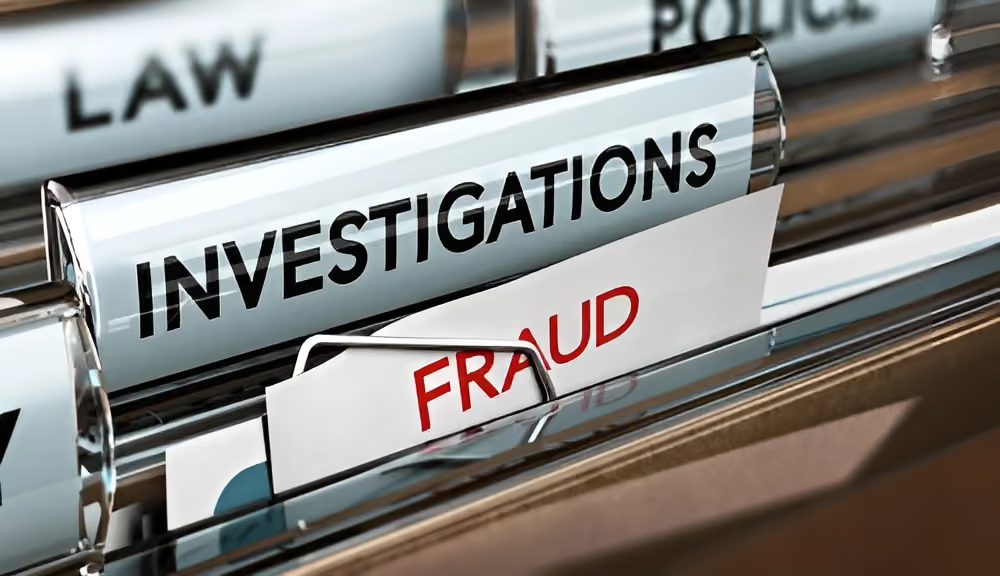
Why Do Regulators Consider Some Certifications Fraudulent?
April 3, 2023
|
5 min de lecture
A registered training organization in Australia was charged with issuing fraudulent certifications after participants left training early. The RCMP uncovered a counterfeiting operation selling fake H2S Alive and First Aid certifications to workers who had completed no training at all. This post examines what makes a certification fraudulent, what the legal consequences are for employers, and how identity verification and participation monitoring protect organizations from the same exposure.
Most people assume fraud means stealing or pretending to be someone else. In the world of workplace training and certification, the definition is broader than that. Fraud is also when a person receives credit for something they did not, in fact, do.
That definition has real consequences for employers, and two recent cases make it impossible to ignore.
When Certifications Become Fraudulent
In Australia, a registered training organization was charged with issuing false documents to multiple trainees. The organization marked participants as attending a full two-day training when they had actually left at noon each day. Participants received certifications to operate forklifts and erect scaffolding without meeting the full training requirements. The organization faced significant financial penalties as a result.
In Canada, the Royal Canadian Mounted Police uncovered a large-scale counterfeiting operation selling fake training certifications for safety credentials including H2S Alive and First Aid/CPR. H2S Alive is issued to people working with hydrogen sulphide, a highly flammable and toxic chemical. The people who purchased these certificates did not miss half a course. They did not participate in any training at all.
In both cases, employees and their colleagues were put at risk. That risk includes injury, loss of limb, and death.
Why This Happens More Often Than Organizations Realize
It is far too common for certificates to be issued without confirming identity or full participation. Most people do not think twice about the consequences of leaving a training session early. Few would assume that attending training where identity and attendance are not confirmed could result in a regulator declaring their certificate fraudulent.
But that is exactly what happens.
Employers carry a legal and moral responsibility to protect their employees and their organization from risk. Employee certifications are a promise to colleagues, clients, and regulators that your workforce meets industry standards. If you cannot demonstrate that your employees actually completed the required training, that promise is hollow and the certification that represents it may be worthless.
Without a trusted mechanism to verify identity and participation, the consequences range from reputational damage to financial penalties to legal action.
Who Is at Greatest Risk
Workers who operate heavy machinery or work with dangerous chemicals face the highest physical risk from fraudulent certifications. But employees across all roles must be able to demonstrate proof of training that holds up to scrutiny.
The Australian case resulted in financial penalties and a loss of public trust. For organizations in regulated industries, that combination of reputational and financial damage can have lasting consequences that far exceed the cost of implementing proper verification in the first place.
How Organizations Are Addressing This
The solution starts with how training organizations are selected and evaluated. For in-person training, careful vetting of providers is essential. For online training, which now accounts for the majority of workplace learning, the training organization must use an identity verification and participation monitoring solution.
Effective online proctoring uses a combination of human review and AI to verify that the right employee takes the right training and stays engaged throughout, without adding significant cost or administrative burden.
Safety-conscious businesses and industry safety organizations are increasingly requiring verified training, allowing them to take advantage of online delivery without compromising legal compliance or risk management. This trend is accelerating across industries where the consequences of unverified training are most severe.
Choosing verified online training gives employers documented evidence that their workforce completed training as required, evidence that holds up in regulatory investigations and legal proceedings.
{{post-cta}}
Foire aux questions
Trouvez les réponses aux questions les plus fréquemment posées par nos clients.
When a proctoring tool requires learners to install an application, browser plugin, or extension, or to change system settings, a significant proportion of learners will encounter technical difficulties before their session begins. Support rates for installation-based proctoring tools can reach 30 to 40% of participants. For an organization running 1,000 proctored exams per session, that translates to 300 support calls and potentially 50 or more hours of technical support time, on top of the cost of the proctoring service itself.
A false positive occurs when an automated proctoring system flags a session as a potential rule violation when no violation actually occurred. AI-based proctoring systems have flagged innocuous things like wallpaper patterns and houseplants as suspicious behavior. When false positives are not followed up with human review, innocent participants can be penalized. Even when no additional exam fee is charged for a retake, the administrative time required to investigate complaints, review flagged sessions, and clear incorrect violations represents a real and often underestimated cost.
Most online proctoring tools are designed with higher education as the primary use case. Organizations in food and alcohol service certification, skilled trades, health and safety training, and professional certification often have different LMS integrations, rule sets, participation monitoring requirements, and technical environments. Adapting a higher-ed-built tool to meet these needs frequently requires extensive customization, additional time, and additional cost that does not appear in the initial pricing comparison.
Integrity Advocate's browser-based platform requires no installation, which eliminates the primary source of support burden. Fewer than 1% of learners require support, compared to the 30 to 40% common with installation-based tools. Human review on every flagged session eliminates false positives before they become administrative problems. The platform is configurable for non-higher-education audiences without extensive customization. And every session produces a documented, human-reviewed record that holds up to regulatory and legal scrutiny.